 NEWS
NEWS
OpenID Foundation Claims 'Sign In with Apple' Could Expose Users to Security and Privacy Risks
 07/01/2019
 3689
3689
At WWDC 2019 earlier this month, Apple announced Sign In with Apple, a new privacy-focused login feature that will allow macOS Catalina and iOS 13 users to sign into third-party apps and websites using their Apple ID. 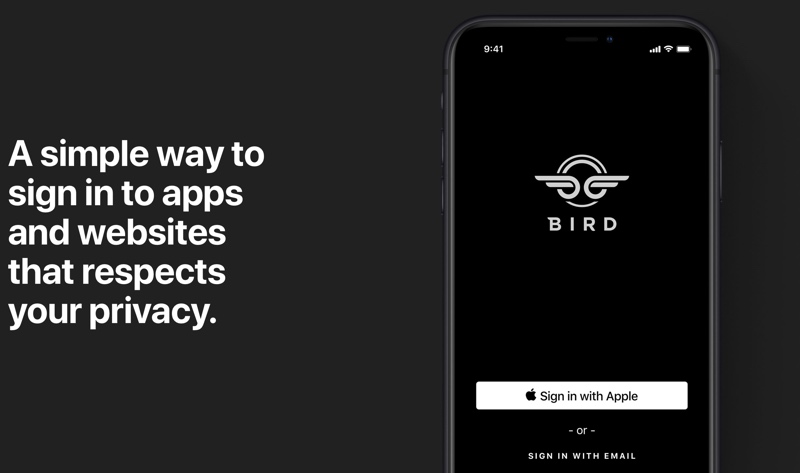
The feature has been largely welcomed as a more secure alternative to similar sign-in services offered by Facebook, Google, and Twitter, since it authenticates the user with Face ID or Touch ID, and doesn't send personal information to app and website developers.
However the implementation of Sign In with Apple has now been questioned by the OpenID Foundation (OIDF), a non-profit organization whose members include Google, Microsoft, PayPal, and others.
In an open letter to Apple software chief Craig Federighi, the foundation praised Apple's authentication feature for having "largely adopted" OpenID Connect, a standardized protocol used by many existing sign-in platforms that lets developers authenticate users across websites and apps without them having to use separate passwords.
Yet it cautioned that several differences remain between OpenID Connect and Sign In with Apple that could potentially put users' security and privacy in jeopardy.
To remedy the situation, the foundation asked Apple to address the differences between Sign In with Apple and OpenID Connect, which have been recorded in a document managed by the OIDF certification team. 
It also invited the company to use OpenID's suite of certification tests to improve the interoperability of the two platforms, publicly state their compatibility, and join the OpenID Foundation.
Shortly after unveiling Sign In with Apple, the tech giant told developers that if an app lets users log in using their Facebook or Google logins, then it must also provide an alternative Sign In with Apple option.
The company then raised some eyebrows when it emerged that its updated Human Interface Guidelines asked app developers to place its authentication feature above other rival third-party sign-in options wherever they appeared.
Source: MacRumors









