
NEWS

Apple Registers 7 Unreleased Mac Notebooks in Eurasian Database

06/14/2019

3925

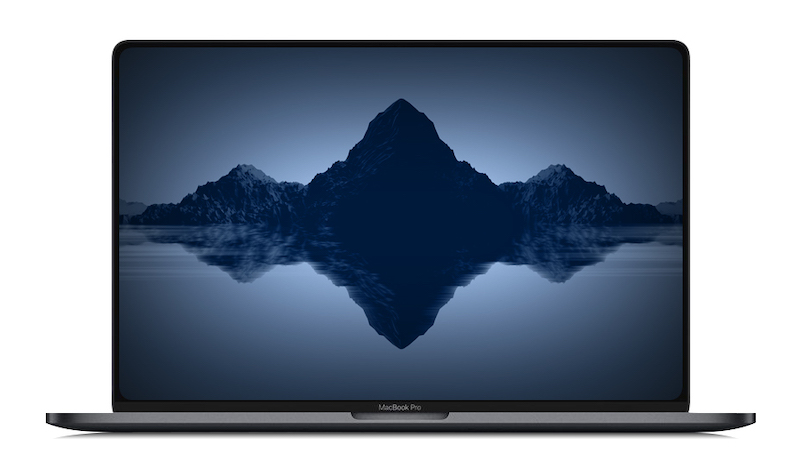
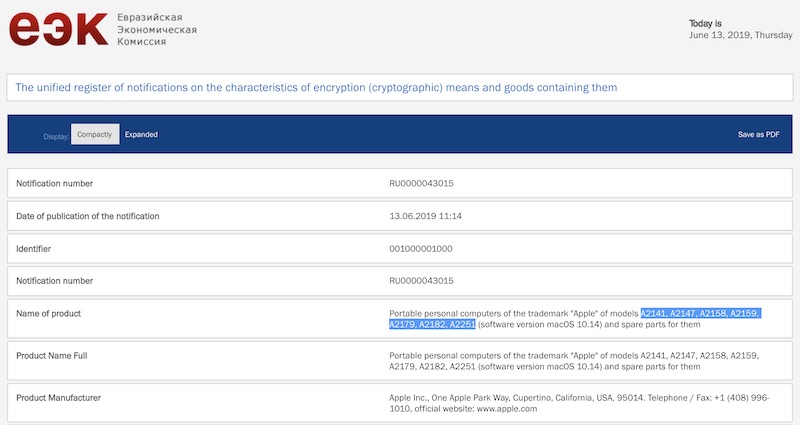
Apple has registered seven unreleased Mac models in the Eurasian Economic Commission database today, including A2141, A2147, A2158, A2159, A2179, A2182, and A2251, according to listings uncovered by MacRumors. All seven models appear to be notebooks, as they are described as "portable" computers. 

Apple Registers 7 Unreleased Mac Notebooks in Eurasian Database


On the more imminent front, the 12-inch MacBook is certainly long overdue for an update, having been last refreshed in June 2017. A spec bump to the MacBook Air is also plausible, but its October 2018 refresh was not too long ago. 

Apple Registers 7 Unreleased Mac Notebooks in Eurasian Database


Looking farther out, we've heard rumors about a 16-inch MacBook Pro with an all-new design launching later this year. Given the MacBook Pro was just refreshed weeks ago, the 16-inch model is presumably a fall product at the earliest. Apple occasionally hosts Mac events in October, including in both 2018 and 2016. 

Eurasian Economic Commission filings like these have foreshadowed the release of new Apple products on numerous occasions, including multiple Mac, iPhone, iPad, iPad Pro, Apple Watch, and AirPods models. The filings are legally required for any encrypted devices sold in Russia and select other countries.


Source: MacRumors


Windows
Mac OS
iOS
Linux
3uTools
Win 64-bit For this device
V9.01 2025-12-27
Download
Win 32-bit For this device
V9.01 2025-12-27
Download
3uTools
Intel Chip How to Identify Chip Type
V9.0 2025-12-02
Download
Apple Silicon
V9.0 2025-12-02
Download
How to Identify Chip Type
1.  Click the Apple icon in the top-left corner of the screen and select About This Mac.
2.  Check the Processor or Chip field to determine if it is "Intel" or "Apple".
Please use the 3uTools PC client to install the iOS client:
1、 Install either the Windows or Mac version of 3uTools on your computer
2、 Open the PC client and connect your device to the computer via USB cable
3、 After the connection is successful, wait for the computer to automatically install the mobile app for the device, or locate “Install Mobile App” on the computer and manually click to install.
3uTools
deb file
V3.01 2025-11-20
Download
rpm file
V3.01 2025-11-20
Download
Windows
Windows
iOS
iOS
Android
Android
TV
TV
3uAirPlayer
Win 64-bit For this device
V6.0.2 2025-11-19
Download
Win 32-bit For this device
V6.0.2 2025-11-19
Download
iOS Device Mirroring (No App Required)
1、 Install 3uAirPlayer on the Windows PC
2、 Open Control Center and select Screen Mirroring
3、 From the list, choose your PC to start mirroring
4、 Or connect your iOS device to the PC via USB to begin mirroring
Scan to get "3uAirPlayer" App
3uAirPlayer TV V1.0.18
2025-11-28
TV System Requirements: Android 7.0 or later
Download the TV installation package, copy it to a USB drive, insert it into your TV or set-top box, then select the file from the home screen to install.




