NEWS

India Has the World's 4th Highest Price for Apple Device

05/29/2019

2826

India Has the World's 4th Highest Price for Apple Device


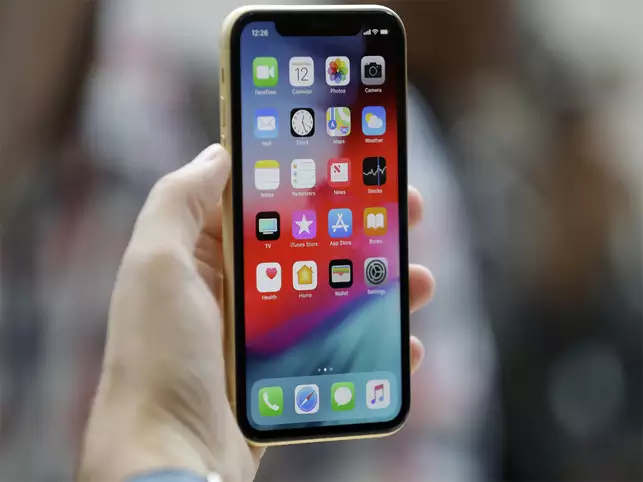
NEW DELHI: If you are looking for the best rate for an iPhone, India is not the ideal country. A new report has found that the price of iPhone XS in India is the fourth highest in the world. 

At $1,635, the cost of iPhone XS in India is less only when compared to Brazil, Turkey and Argentina, said the report from Deutsche Bank. 

"Don't lose or damage your iPhone on holiday in Brazil, Turkey, Argentina, India or Greece as iPhones are 25-65 per cent more expensive than in the US - still the cheapest place to buy outside of Nigeria which we can't quite explain," said the "Mapping the World's Prices 2019" report from Deutsche Bank. 

The report revealed that iPhones are cheaper in Bangladesh than in India. 

Apart from iPhones, the survey gives an account of the price differences of things like hotel rentals, gas price and haircuts among others. 

Haircuts in Copenhagen, Oslo and Zurich are 10-15 times as expensive as in Dhaka, Bengaluru, Manila and Cairo, the findings showed. 

"For those living in Singapore, Copenhagen or Oslo, you are actively discouraged from buying a new car as policy makes it extraordinarily expensive. So maybe walk or ride a bike more there," said the report. 

London has the most expensive public transport in the world and is also the most costly place to hire a car, according to the survey. 

Source: indiatimes

Windows
Mac OS
iOS
Linux
3uTools
Win 64-bit For this device
V9.0 2025-11-11
Download
Win 32-bit For this device
V9.0 2025-11-11
Download
3uTools
Intel Chip How to Identify Chip Type
V9.0 2025-12-02
Download
Apple Chip
V9.0 2025-12-02
Download
How to Identify Chip Type
1.  Click the Apple icon in the top-left corner of the screen and select About This Mac.
2.  Check the Processor or Chip field to determine if it is "Intel" or "Apple".
Please use the 3uTools PC client to install the iOS client:
1、 Install either the Windows or Mac version of 3uTools on your computer
2、 Open the PC client and connect your device to the computer via USB cable
3、 After the connection is successful, wait for the computer to automatically install the mobile app for the device, or locate “Install Mobile App” on the computer and manually click to install.
3uTools
deb file
V3.01 2025-11-20
Download
rpm file
V3.01 2025-11-20
Download
Windows
Windows
iOS
iOS
Android
Android
TV
TV
3uAirPlayer
Win 64-bit For this device
V6.0.2 2025-11-19
Download
Win 32-bit For this device
V6.0.2 2025-11-19
Download
iOS Device Mirroring (No App Required)
1、 Install 3uAirPlayer on the Windows PC
2、 Open Control Center and select Screen Mirroring
3、 From the list, choose your PC to start mirroring
4、 Or connect your iOS device to the PC via USB to begin mirroring
Scan to get "3uAirPlayer" App
3uAirPlayer TV V1.0.18
2025-11-28
TV System Requirements: Android 7.0 or later
Download the TV installation package, copy it to a USB drive, insert it into your TV or set-top box, then select the file from the home screen to install.