NEWS

Cars Driving Across Canada to Improve Apple Map's Data

05/28/2019

2443

Cars Driving Across Canada to Improve Apple Map's Data


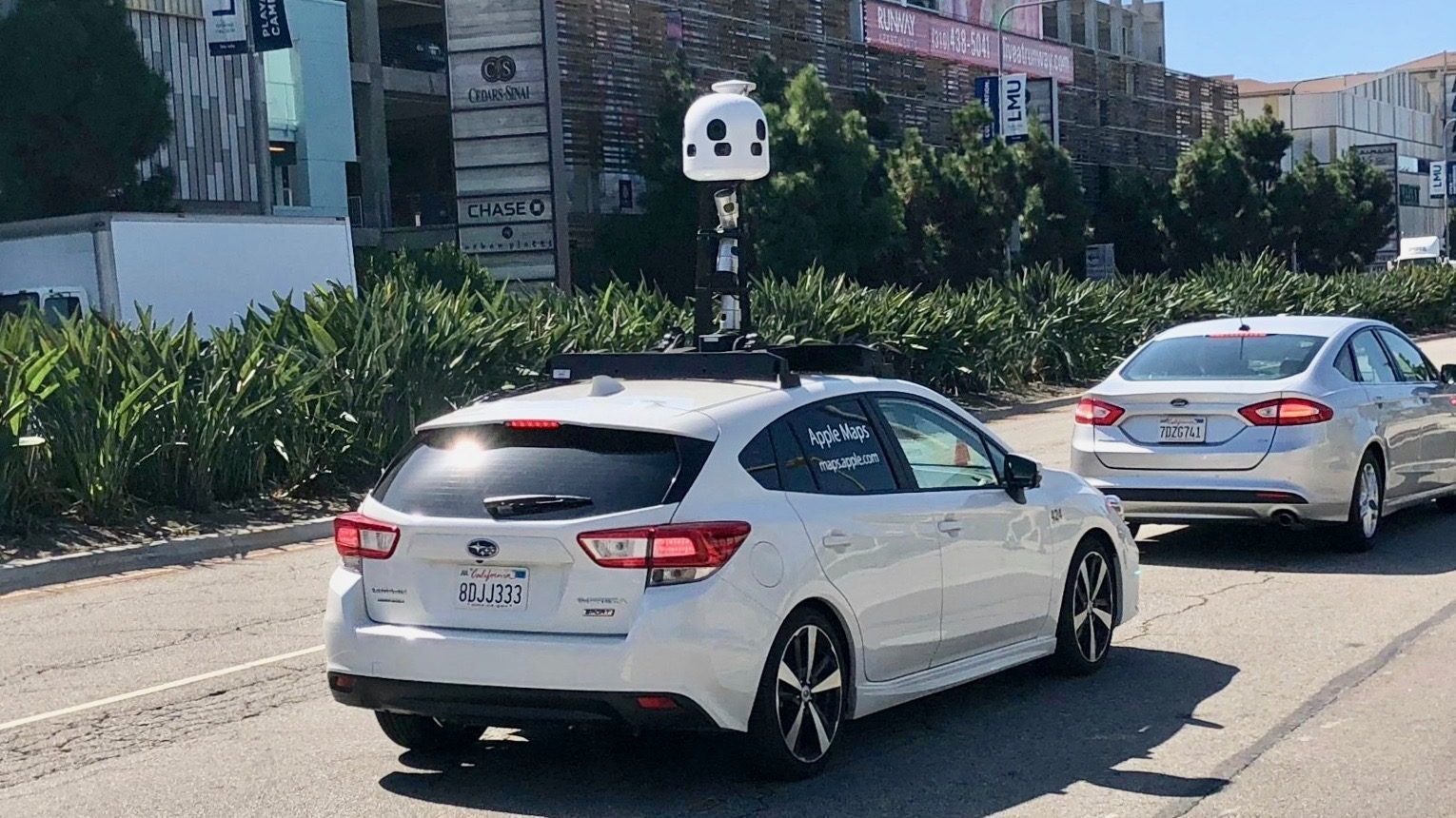
Apple has announced that it will start ground truth surveys in Canada from today. Apple will be driving sensor-equipped car fleets around the country to collect road details, signage and landmarks throughout the year to improve Apple Maps in Canada.


Apple will incorporate this information into its modern Apple Maps dataset, which is being rebuilt literally from the ground up.


The company published its statement online and in local Canadian newspapers.


Apple said the data will be used in a future product update and that it abides by all local regulations. Apple blurs faces and license plates in the images it takes.


So far, Apple has used its ground truth cars to make its existing mapping features more detailed and more accurate. However, many people hope that Apple will eventually expand the feature set of Apple Maps as well, by using these images to offer features similar to Google Street View (perhaps with an augmented reality component). We’ll have to wait and see if Apple announces anything like this as part of iOS 13.


According to the Apple image collection registry, the company will be sending vehicles across Alberta, British Columbia, Manitoba, New Brunswick, Newfoundland and Labrador, Nova Scotia, Ontario, Prince Edward Island, Quebec, and Saskatchewan. This work will take place between May and November.


Source: 9to5Mac

Windows
Mac OS
iOS
Linux
3uTools
Win 64-bit For this device
V9.0 2025-11-11
Download
Win 32-bit For this device
V9.0 2025-11-11
Download
3uTools
Intel Chip How to Identify Chip Type
V9.0 2025-12-02
Download
Apple Chip
V9.0 2025-12-02
Download
How to Identify Chip Type
1.  Click the Apple icon in the top-left corner of the screen and select About This Mac.
2.  Check the Processor or Chip field to determine if it is "Intel" or "Apple".
Please use the 3uTools PC client to install the iOS client:
1、 Install either the Windows or Mac version of 3uTools on your computer
2、 Open the PC client and connect your device to the computer via USB cable
3、 After the connection is successful, wait for the computer to automatically install the mobile app for the device, or locate “Install Mobile App” on the computer and manually click to install.
3uTools
deb file
V3.01 2025-11-20
Download
rpm file
V3.01 2025-11-20
Download
Windows
Windows
iOS
iOS
Android
Android
TV
TV
3uAirPlayer
Win 64-bit For this device
V6.0.2 2025-11-19
Download
Win 32-bit For this device
V6.0.2 2025-11-19
Download
iOS Device Mirroring (No App Required)
1、 Install 3uAirPlayer on the Windows PC
2、 Open Control Center and select Screen Mirroring
3、 From the list, choose your PC to start mirroring
4、 Or connect your iOS device to the PC via USB to begin mirroring
Scan to get "3uAirPlayer" App
3uAirPlayer TV V1.0.18
2025-11-28
TV System Requirements: Android 7.0 or later
Download the TV installation package, copy it to a USB drive, insert it into your TV or set-top box, then select the file from the home screen to install.