
NEWS

​App Store honors Stan Lee with Comic-inspired Collection

11/14/2018

2323

We lost Stan Lee at the age of 95 yesterday, and today Apple is honoring the legendary comic book creator with a special story in the App Store. “Storytelling wouldn’t be what it is today without Stan Lee,” reads the opening to the app collection inspired by the late Spider-Man co-creator.
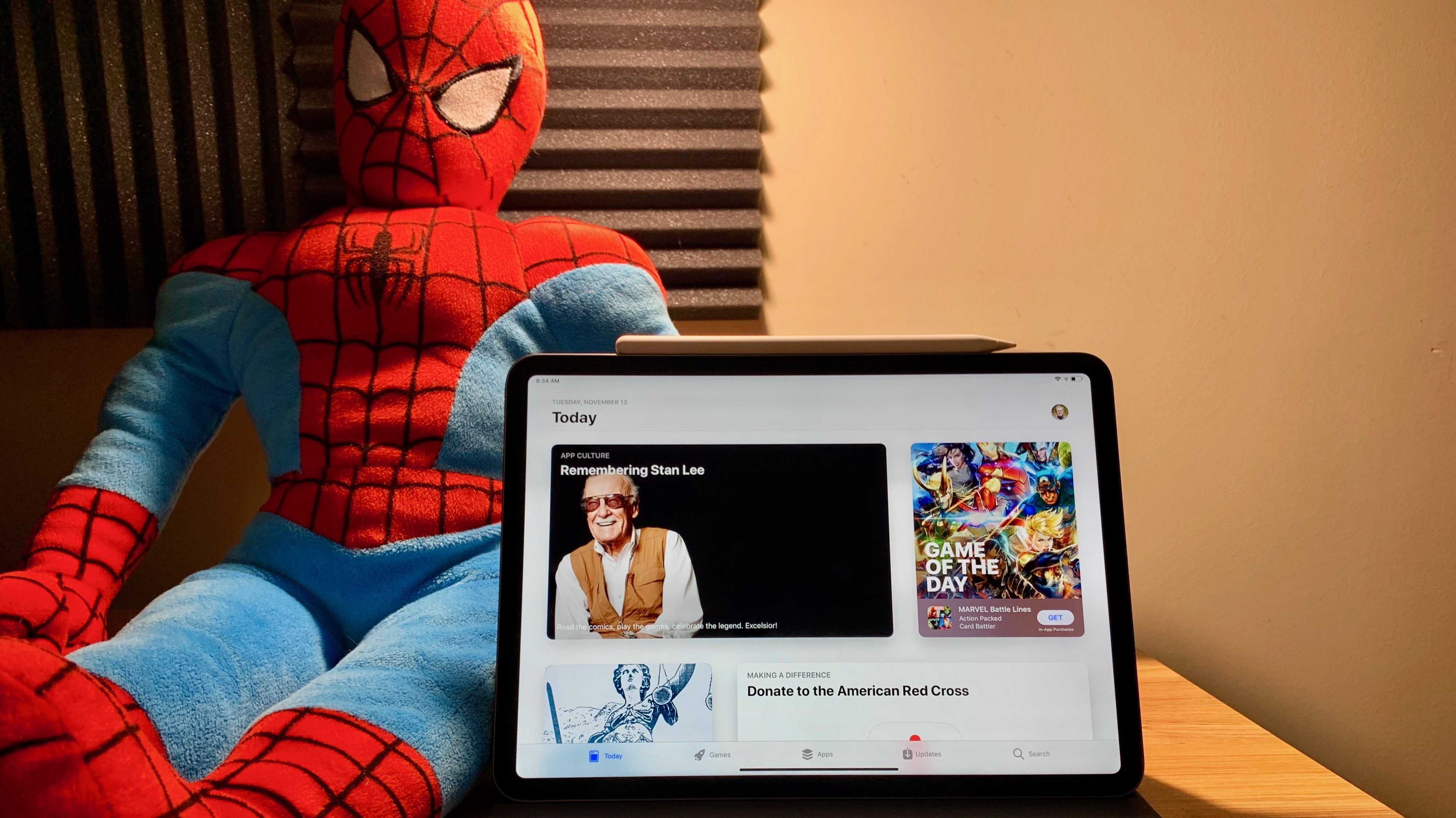

​App Store honors Stan Lee with Comic-inspired Collection


Apple’s Remembering Stan Lee story continues:


“He wasn’t just the wisecracking bystander who made a cameo in dozens of superhero movies. As a writer, editor-in-chief, publisher, and chairman, Lee created many of Marvel Comics’ most enduring characters — from the Avengers to Spider-Man — and turned millions of readers into true believers. Today we celebrate Lee’s legacy with apps and games featuring his iconic crimefighters in all their masked glory.”


Inside the story is a collection of ten apps in three groups: Read and Draw, Play the games, and Act and learn. The eight comic book reader apps and games include Marvel Unlimited, Marvel: Color Your Own, comiXology, Olli by Tinrocket, Contest of Champions, Strike Force, Battle Lines, and Avengers Academy.


The latter section of the remembrance is especially interesting:


“Lee served in the Army during World War II, so it’s no surprise that he wrote many stories for an especially iconic character: Captain America. In his honor, send a letter to a service member with Sandboxx. And learn more about the master’s craft through Lee’s two instruction texts, How to Write Comics and How to Draw Comics, both available in Apple Books.”


Source: 9to5mac

Windows
Mac OS
iOS
Linux
3uTools
Win 64-bit For this device
V9.0 2025-11-11
Download
Win 32-bit For this device
V9.0 2025-11-11
Download
3uTools
Intel Chip How to Identify Chip Type
V9.0 2025-12-02
Download
Apple Chip
V9.0 2025-12-02
Download
How to Identify Chip Type
1.  Click the Apple icon in the top-left corner of the screen and select About This Mac.
2.  Check the Processor or Chip field to determine if it is "Intel" or "Apple".
Please use the 3uTools PC client to install the iOS client:
1、 Install either the Windows or Mac version of 3uTools on your computer
2、 Open the PC client and connect your device to the computer via USB cable
3、 After the connection is successful, wait for the computer to automatically install the mobile app for the device, or locate “Install Mobile App” on the computer and manually click to install.
3uTools
deb file
V3.01 2025-11-20
Download
rpm file
V3.01 2025-11-20
Download
Windows
Windows
iOS
iOS
Android
Android
TV
TV
3uAirPlayer
Win 64-bit For this device
V6.0.2 2025-11-19
Download
Win 32-bit For this device
V6.0.2 2025-11-19
Download
iOS Device Mirroring (No App Required)
1、 Install 3uAirPlayer on the Windows PC
2、 Open Control Center and select Screen Mirroring
3、 From the list, choose your PC to start mirroring
4、 Or connect your iOS device to the PC via USB to begin mirroring
Scan to get "3uAirPlayer" App
3uAirPlayer TV V1.0.18
2025-11-28
TV System Requirements: Android 7.0 or later
Download the TV installation package, copy it to a USB drive, insert it into your TV or set-top box, then select the file from the home screen to install.




