
NEWS

Apple Now Selling Refurbished HomePod for $299

11/14/2018

2305

Apple added the HomePod to its online store for refurbished products in the United States, offering the smart speaker at a discount for the first time. 

The 
HomePod, normally priced at $349, is available in both white and space gray for $299, a $50 discount off of the regular price. 
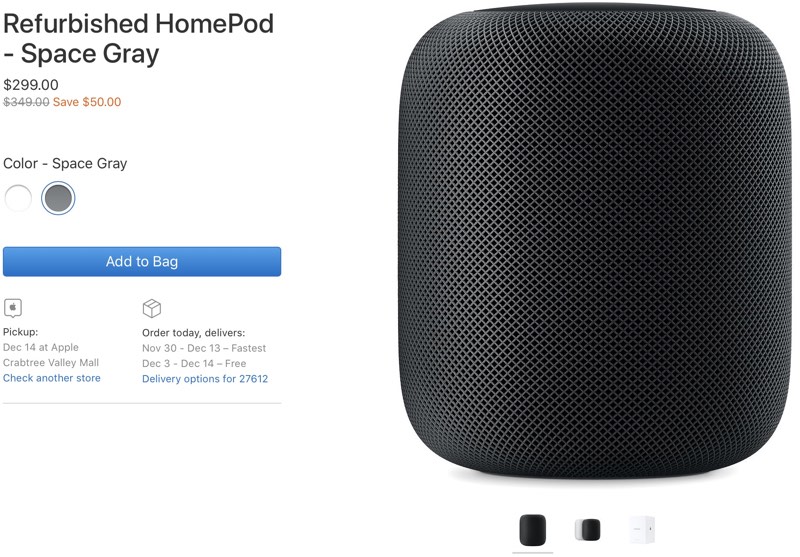

Apple Now Selling Refurbished HomePod for $299


There is no HomePod listing on the 
main Apple refurbished site as of yet, but it should be added in the near future. For now, the HomePod can be purchased from the individual HomePod refurbished listing. Apple is still rolling out refurbished models, so the page doesn't work on occasion, but will show up with refreshing. 

A refurbished HomePod bought today will be delivered between November 30 and December 14, depending on shipping method selected at the time of purchase. 

Introduced in February, the HomePod is Apple's 
Siri-enabled smart speaker that pairs well with Apple Music. It serves as a Home hub, features AirPlay 2 support, can make phone calls, and offers up most of the capabilities of Siri on an iPhone. 

Apple's refurbished stock is often limited in quantity and can sell out, which is something to be aware of. Checking the refurbished site often or using a 
tracking site is the best way to figure out when a particular item that you might want is in stock. 

Purchasing a refurbished HomePod from Apple is a good way to get a like-new device at a lower price point. All of Apple's refurbished products are tested, certified, cleaned, and guaranteed with a one-year warranty that can be 
extended with AppleCare+.


Source: macrumors

Windows
Mac OS
iOS
Linux
3uTools
Win 64-bit For this device
V9.01 2025-12-27
Download
Win 32-bit For this device
V9.01 2025-12-27
Download
3uTools
Intel Chip How to Identify Chip Type
V9.0 2025-12-02
Download
Apple Silicon
V9.0 2025-12-02
Download
How to Identify Chip Type
1.  Click the Apple icon in the top-left corner of the screen and select About This Mac.
2.  Check the Processor or Chip field to determine if it is "Intel" or "Apple".
Please use the 3uTools PC client to install the iOS client:
1、 Install either the Windows or Mac version of 3uTools on your computer
2、 Open the PC client and connect your device to the computer via USB cable
3、 After the connection is successful, wait for the computer to automatically install the mobile app for the device, or locate “Install Mobile App” on the computer and manually click to install.
3uTools
deb file
V3.01 2025-11-20
Download
rpm file
V3.01 2025-11-20
Download
Windows
Windows
iOS
iOS
Android
Android
TV
TV
3uAirPlayer
Win 64-bit For this device
V6.0.2 2025-11-19
Download
Win 32-bit For this device
V6.0.2 2025-11-19
Download
iOS Device Mirroring (No App Required)
1、 Install 3uAirPlayer on the Windows PC
2、 Open Control Center and select Screen Mirroring
3、 From the list, choose your PC to start mirroring
4、 Or connect your iOS device to the PC via USB to begin mirroring
Scan to get "3uAirPlayer" App
3uAirPlayer TV V1.0.18
2025-11-28
TV System Requirements: Android 7.0 or later
Download the TV installation package, copy it to a USB drive, insert it into your TV or set-top box, then select the file from the home screen to install.




