 NEWS
NEWS
Apple IDs Locked for Unknown Reasons for a Number of iPhone Users
 11/14/2018
 2958
2958
A number of iPhone users have discovered their Apple ID has been locked on all of their Apple devices, preventing them from accessing stored data and related services, with the lockdowns occurring for seemingly unknown reasons.
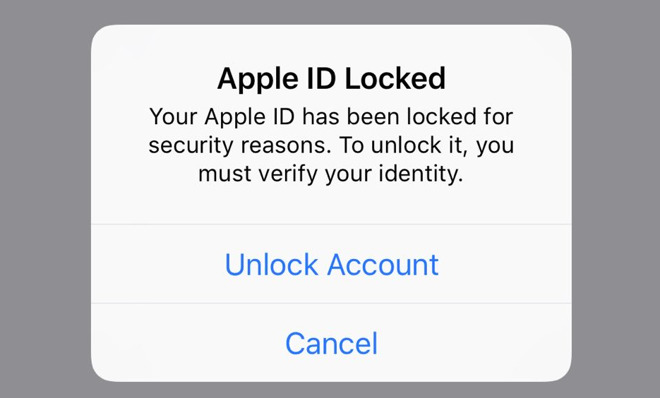
Reports from users surfacing on Reddit and other social media platforms claim their iOS devices asked for the Apple ID password to be entered. After entering what is believed to be the correct password, in some cases a pop-up message advises the Apple ID is locked for "security reasons," and that users have to verify their identity to unlock the account.
Affected users are able to restore access to the account, by tapping "Unlock Account" on the Apple ID Locked popup and answering a number of security questions, or by going to Apple's account support page and following the instructions. Once validated, Apple asks users to set a password, then access to Apple ID-related services are restored.
It is unclear exactly what is happening to cause the accounts to be locked, but the significant rise in online complaints suggests it has happened to a large number of people at the same time with the first "wave" at about midnight eastern time. While it could be caused in error by Apple's account security protocols, there is also the chance that the accounts are being probed by a malicious actor, though ultimately the reason behind the locking of accounts is unknown in this case.
Sources inside Apple not authorized to speak for the company advised to AppleInsider "At present, this doesn't appear to be an Apple bug. Whatever it is, it is only impacting a minute percentage of our users."
AppleInsider has asked Apple for further comment on the matter, and will update accordingly.
Source: appleinsider









