 NEWS
NEWS
Apple Updates Clips App with New Selfie Scenes, Soundtracks, and more
 11/08/2018
 3728
3728
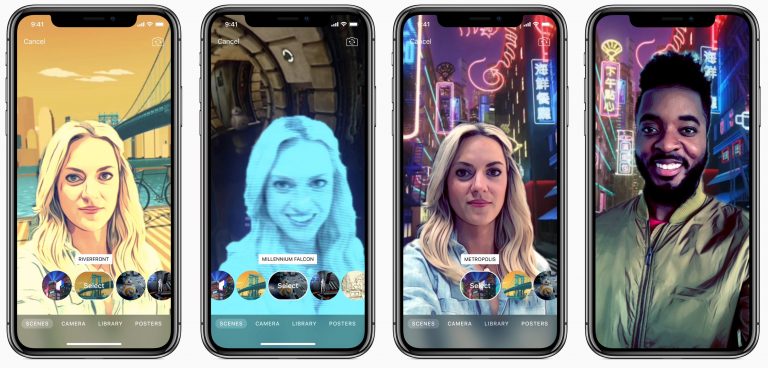
Apple on Wednesday released an update to its Clips app, bringing the video editing software to version 2.0.5. The update features several additions and improvements, including 6 new Selfie Scenes—360-degree backgrounds that seemingly transport users into different worlds, 3 new filters, and 17 new soundtracks.
Here are your release notes:
Choose from 6 new Selfie Scenes that use the TrueDepth camera system to take you to an animal forest, monster laboratory, high above the clouds, and more
Transport yourself to downtown Municiberg in the middle of a thrilling Selfie Scene from Disney•Pixar’s Incredibles 2
Selfie Scenes use the Neural Engine on the A12 Bionic chip for high quality portrait segmentation during preview and recording
Use 3 new filters to make your video look like a monochromatic comic book, watercolor painting, or aged film
Create great-looking title cards with 8 new customizable posters with themes including science, sports, and silent movie
Choose from 8 expressive stickers and 4 colorful text labels to add emphasis and annotations to your video
Select from 17 new royalty-free soundtracks, including tracks to match new Selfie Scenes plus fun pop, lounge, and vintage-inspired music that automatically adjusts to the length of your video
For those unfamiliar with the software, Clips is a free app made by Apple that allows you to make fun videos with things like effects, stickers and music, and then quickly share them with friends and family. Some of the more advanced features, such as Selfie Scenes, require an iOS device with a TrueDepth camera.
Source: idb










