 NEWS
NEWS
Apple's Clips App Gains Support for Memoji and Animoji, Plus New Stickers
 12/06/2019
 3142
3142
Apple today updated its Clips app designed for the iPhone and the iPad, introducing Animoji and Memoji support for the first time. With the Animoji and Memoji addition, video recordings can be made with the Animoji and Memoji characters.
Users can share personal video messages, slideshows, school projects and more, with Animoji and Memoji able to follow the movement of a user's face for "fun selfie videos" using the front-facing camera. Prior to now, Animoji and Memoji were limited to FaceTime and Messages. 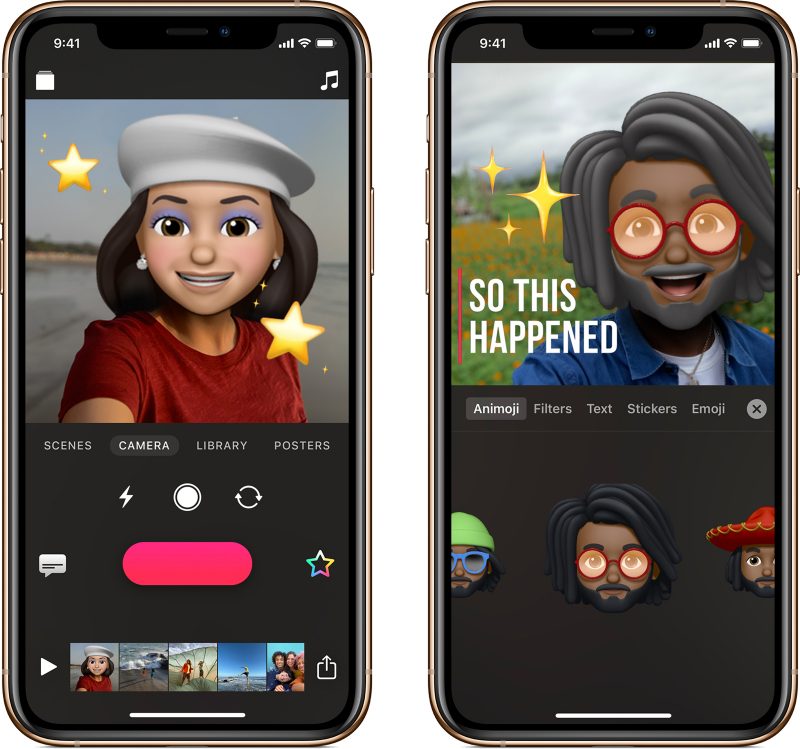
Memoji created and customized in the Messages app will be integrated automatically into clips, and Animoji and Memoji video clips can be layered with existing Clips features like filters, animated text, and music.
For those unfamiliar with the Clips app, it's a video editing app that lets users combine video clips, images, and photos with voice-based titles, stickers, music, filters, and graphics to create unique videos that can be shared on social media.
Today's update also introduces new stickers featuring Mickey and Minnie Mouse, along with a new winter-themed poster. Using Animoji and Memoji in Clips requires a device with a TrueDepth camera.
Clips was last updated in April 2019 before today's major Animoji and Memoji addition.
Source: Macrumors











