 NEWS
NEWS
Apple Issues the Second Release of iOS 12.1 for the iPhone XR Specifically
 11/07/2018
 3074
3074
Apple has rolled out a new release of iOS 12.1 specifically for the iPhone XR, with the update rolling out to the iPhone model if it has not already gone through the update process with the version released seven days ago.
The update, released on Tuesday, brings iPhone XR users who have not moved to iOS 12.1 to the latest-generational release.
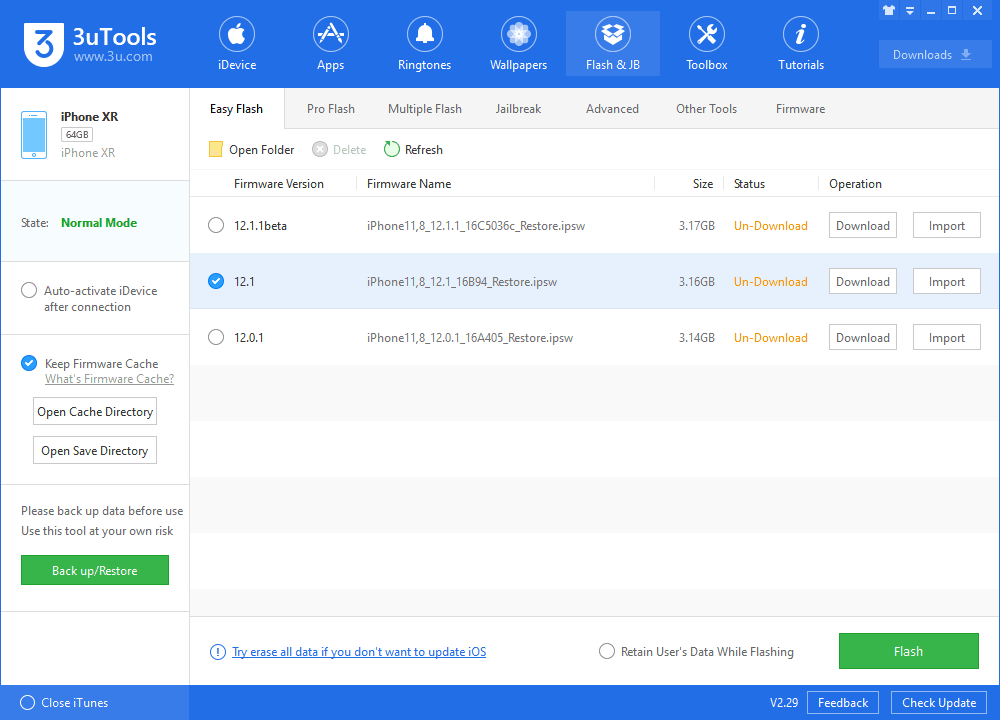
Tuesday's update is build number 16B94, up from the 16B93 build used for the earlier version of the update. It is unclear exactly what is different in the new update over the older version, but it seems to be iPhone XR-specific in nature. Not all iPhone XR owners are getting prompted to download the new version, and already having iOS 12.1 does not necessarily seem to preclude being offered a new download.
Please connect your iPhone XR, then you could upgrade in 3uTools.
Owners of the iPhone XR who are still on iOS 12 can move to iOS 12.1 by entering the Settings app, selecting General, then Software Update.
The new features in iOS 12.1 include Group FaceTime, which supports video conversations between up to 32 people at the same time. Approximately 70 new emoji are also included in the release, as well as Depth Control in real-time camera previews, a fix for "beautygate," and bugfixes relating to charging problems in some iPhones and iPads.
The release also enables Dual-SIM support, enabling users to use two cellular plans on one device, with a physical SIM combined with an eSIM, or two physical SIM cards in China.
Source: appleinsider










