
NEWS

Apple Wins FCC Clearance for iPhone XR in Time for Oct. 19 Preorders

09/28/2018

2243

The U.S. Federal Communications Commission on Thursday granted its stamp of approval for the iPhone XR, which goes on sale in less than a month.
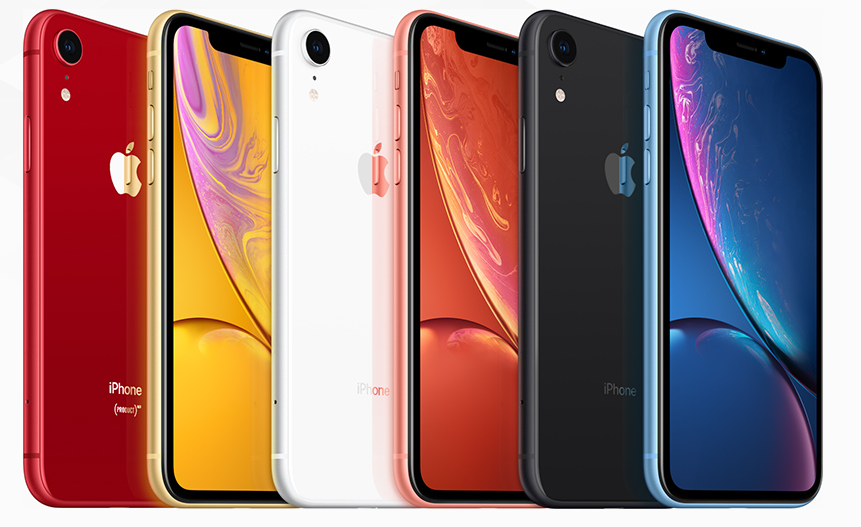

Apple Wins FCC Clearance for iPhone XR in Time for Oct. 19 Preorders

Until today Apple had been forced to include a disclaimer on the XR's product page. "iPhone XR has not been authorized as required by the rules of the Federal Communications Commission. iPhone XR is not, and may not be, offered for sale or lease, or sold or leased, until authorization is obtained," the text read. 


The warning can still be found on the page, but Apple will presumably remove it in the near future.


The XR was generally expected to pass FCC scrutiny. Apple often waits as late as possible before getting regulatory approval though, a step which can help prevent leaks. The company will also frequently take advantage of secrecy options the FCC offers.


Preorders for the iPhone XR start Oct. 19 ahead of an Oct. 26 shipping date. The phone will share many of the features of the iPhone XS and XS Max, such as an A12 processor, Face ID, and an edge-to-edge display. It will, however, use a 6.1-inch LCD instead of OLED, and skip both 3D Touch and a second rear camera lens.


The tradeoff means the XR will start at $749, a full $250 less than the XS. Reports have suggested Apple expects the XR to be more popular as a result, making up 50 percent or more of new iPhone shipments


Source: appleinsider

Windows
Mac OS
iOS
Linux
3uTools
Win 64-bit For this device
V9.0 2025-11-11
Download
Win 32-bit For this device
V9.0 2025-11-11
Download
3uTools
Intel Chip How to Identify Chip Type
V9.0 2025-12-02
Download
Apple Chip
V9.0 2025-12-02
Download
How to Identify Chip Type
1.  Click the Apple icon in the top-left corner of the screen and select About This Mac.
2.  Check the Processor or Chip field to determine if it is "Intel" or "Apple".
Please use the 3uTools PC client to install the iOS client:
1、 Install either the Windows or Mac version of 3uTools on your computer
2、 Open the PC client and connect your device to the computer via USB cable
3、 After the connection is successful, wait for the computer to automatically install the mobile app for the device, or locate “Install Mobile App” on the computer and manually click to install.
3uTools
deb file
V3.01 2025-11-20
Download
rpm file
V3.01 2025-11-20
Download
Windows
Windows
iOS
iOS
Android
Android
TV
TV
3uAirPlayer
Win 64-bit For this device
V6.0.2 2025-11-19
Download
Win 32-bit For this device
V6.0.2 2025-11-19
Download
iOS Device Mirroring (No App Required)
1、 Install 3uAirPlayer on the Windows PC
2、 Open Control Center and select Screen Mirroring
3、 From the list, choose your PC to start mirroring
4、 Or connect your iOS device to the PC via USB to begin mirroring
Scan to get "3uAirPlayer" App
3uAirPlayer TV V1.0.18
2025-11-28
TV System Requirements: Android 7.0 or later
Download the TV installation package, copy it to a USB drive, insert it into your TV or set-top box, then select the file from the home screen to install.




