NEWS

Face ID on iPhone XS Fooled by Identical Twins

09/25/2018

2504

Face ID on iPhone XS Fooled by Identical Twins


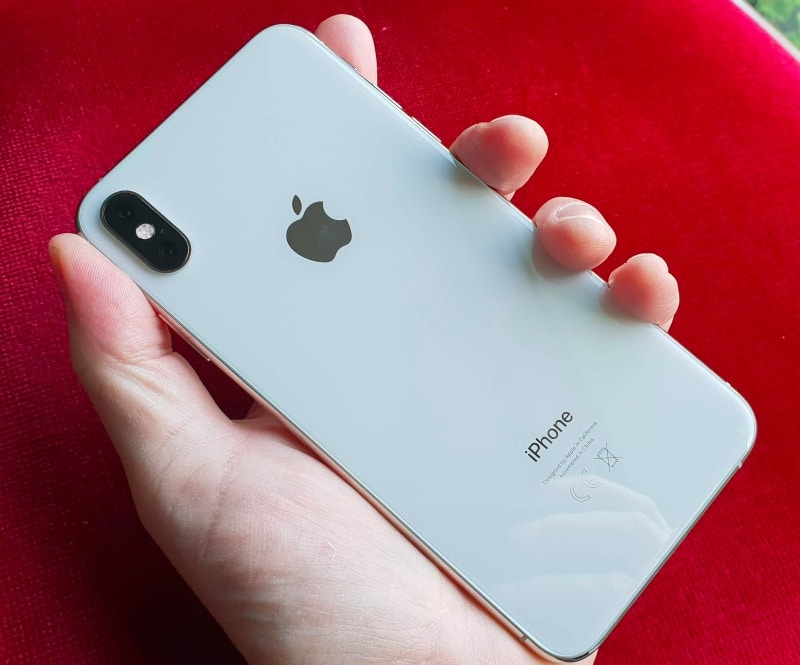
When Apple debuted Face ID with the iPhone X in 2017, it claimed it was even more secure than Touch ID. While this might be true, the biggest issues with Face ID are that it is slower than Touch ID and despite being more secure, it could be easily bypassed by one’s identical twin brother or sister.


For the 2018 iPhone XS series, Apple has only made claims of Face ID being faster than ever and that it is still more secure than Touch ID. Yet again though, as tests conducted by twin brothers running the LifeofTwinz YouTube channel show, Face ID on the iPhone XS still unlocks if one identical brother registers their face and another tries to unlock the phone.


Face ID was also fooled when one identical twin tried opening the iPhone XS Max with a beard. That seemed to have made little to no impact as Face ID still unlocked the device. In the third test, the identical twins wore a hat and then tried to open the same iPhone XS Max. And once again, they were able to do so successfully.


To Apple and Face ID’s credit though, the company had said last year that identical twins might be able to bypass Face ID. Plus, the identical twins in the video really do look identical so Face ID getting confused between them should be forgiven.


Source: iphonehacks

Windows
Mac OS
iOS
Linux
3uTools
Win 64-bit For this device
V9.01 2025-12-27
Download
Win 32-bit For this device
V9.01 2025-12-27
Download
3uTools
Intel Chip How to Identify Chip Type
V9.01 2025-12-31
Download
Apple Silicon
V9.01 2025-12-31
Download
How to Identify Chip Type
1.  Click the Apple icon in the top-left corner of the screen and select About This Mac.
2.  Check the Processor or Chip field to determine if it is "Intel" or "Apple".
Please use the 3uTools PC client to install the iOS client:
1、 Install either the Windows or Mac version of 3uTools on your computer
2、 Open the PC client and connect your device to the computer via USB cable
3、 After the connection is successful, wait for the computer to automatically install the mobile app for the device, or locate “Install Mobile App” on the computer and manually click to install.
3uTools
deb file
V3.01 2025-11-20
Download
rpm file
V3.01 2025-11-20
Download
Windows
Windows
iOS
iOS
Android
Android
TV
TV
3uAirPlayer
Win 64-bit For this device
V6.0.2 2025-11-19
Download
Win 32-bit For this device
V6.0.2 2025-11-19
Download
iOS Device Mirroring (No App Required)
1、 Install 3uAirPlayer on the Windows PC
2、 Open Control Center and select Screen Mirroring
3、 From the list, choose your PC to start mirroring
4、 Or connect your iOS device to the PC via USB to begin mirroring
Scan to get "3uAirPlayer" App
3uAirPlayer TV V1.0.18
2025-11-28
TV System Requirements: Android 7.0 or later
Download the TV installation package, copy it to a USB drive, insert it into your TV or set-top box, then select the file from the home screen to install.