 NEWS
NEWS
Apple’s AirPower Charger is Still a no-show, One Year After it was First Announced
 09/13/2018
 2624
2624
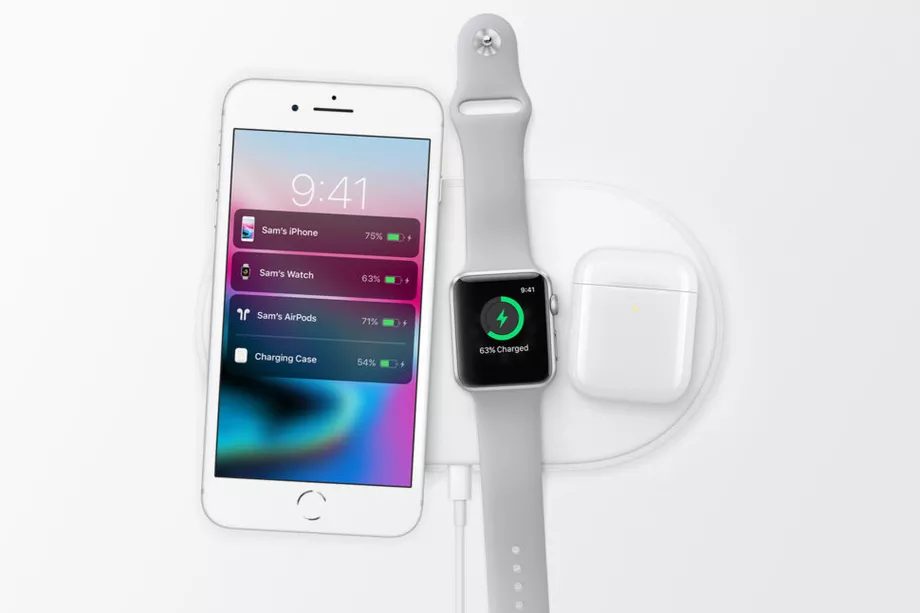
Apple’s big iPhone event has come and gone, with the company highlighting its new iPhone XS, XS Max, and XR models along with the updated Apple Watch Series 4. But one thing was conspicuously missing — Apple’s AirPower wireless charger, which was announced at last year’s iPhone event, and still has yet to come out.
Today marks the one year anniversary of Apple’s AirPower announcement, which was shown off alongside the iPhone X and Apple Watch Series 3. At the time, Apple promised that the AirPower charging pad would be out sometime in 2018, but in the full year since that original announcement, we still haven’t heard official updates from either its March iPad event or at WWDC.
Now, Apple does still have a few months left in 2018 to make good on its promise, along with a rumored iPad and Mac event for later in the fall where it could announce the charging pad. But the fact that another iPhone and Apple Watch event has passed AirPower by without an update doesn’t bode well for a potential 2018 release, especially given that those are the products that Apple intends customers to use with the AirPower pad in the first place.
More concerning, though, is the fact that Apple has scrubbed almost every mention of the AirPower charger from its website, with barely any images or details to be found (the only still-live mention to the device is on Apple’s legal trademark list and a note on the AirPods page about a “Optional wireless charging case (currently unavailable)”).
Without any update from Apple, it’s hard to say why AirPower has taken so long to ship. Perhaps the extra layer of software integration on top of the existing Qi standard is proving more difficult to implement, or maybe whatever tech Apple is using to allow multiple devices to charge has encountered a snag. Technological hiccups are no stranger to Apple with regards to a new product type; the company ended up delaying its HomePod smart speaker by several months, after promising a December 2017 release date (it eventually released in February 2018). It’s possible Apple is looking to avoid a similar issue by over-promising and under-delivering with AirPower, but avoiding the topic entirely doesn’t seem like a great solution.
With imitators continuing to pop up all over the place, and a whole host of excellent wireless chargers now available on the market (including ones that are designed specifically for Apple’s own phones), Apple is increasingly late to the wireless charger game. And with no release date in sight for the charging pad, it’s almost certain that Apple will be facing a whole lot more competition when — or even, if — it does manage to ship AirPower.
Source: the verge










