 NEWS
NEWS
Class Action Claims all Apple Watches are Defective
 06/08/2018
 2742
2742
The latest lawsuit over alleged defects in Apple products contends that the company owes $5 million in damages, because all Apple Watches are defective by design.
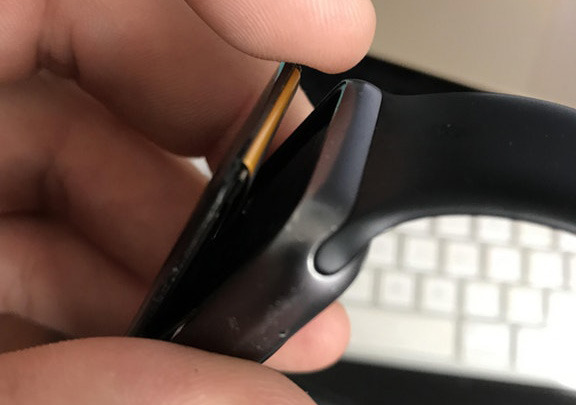
Every model through the Series 3 contains "the same defect and/or flaw, which causes the screens on the Watches to crack, shatter, or detach from the body of the Watch, through no fault of the wearer, oftentimes only days or weeks after purchase," lawyers for plaintiff Kenneth Sciacca argue in a class action brought through the U.S. District Court for the Northern District of California.
"Apple knew that the Watches were defective at or before the time it began selling them to the public," the complaint continues. "Furthermore, consumers complained to Apple about the Defect almost immediately after Apple released the Series 0, Series 1, Series 2, and Series 3 Watches."
The company is accused of "actively" concealing problems, and denying the existence of any defect, instead labeling incidents as "accidental damage" and refusing to honor warranties.
Apple has addressed some Watch issues, such as separated back covers and swollen batteries on Series 0 units, and stripes on some GPS-only versions of the Series 3. Detached screens have also been an occasional complaint on public forums, but without any official response so far.
One possibility is that screen issues are actually connected to battery problems, since components are so tightly packed in any given Watch that a swelling battery could put too much pressure on the display.
AppleInsider has service data collated on every model of Apple Watch from release, similar to the data we have collected on the iPhone and Mac lines. However, with absolutely zero data on sales figures, and what appears to be escalating volumes of sales over the years, it's nearly impossible to draw any conclusion from it at present.
$5 million is nevertheless a low amount to claim in damages, since it would be unlikely to cover repairs or replacements for more than a small percentage of current Watch owners.
Source: appleinsider










