 NEWS
NEWS
Working Apple I Hits Charity Auction with $70,000 Opening Bid
 06/07/2018
 2552
2552
A rare example of a functioning Apple I is now being sold in a charity auction, with bidding starting at $70,000 and likely to escalate from there.
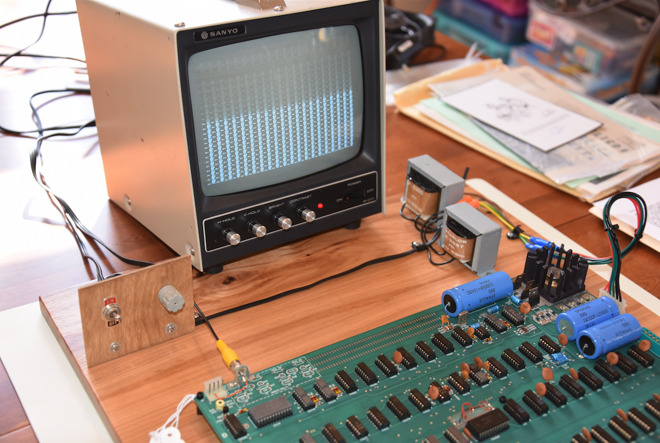
Nicknamed "Duston 2" after its previous owner, Adam Duston, the machine is being auctioned through CharityBuzz with a promise that at least 10 percent of proceeds will go to the Foundation of Amateur International Radio. It includes an original Apple I board, a modified Apple II keyboard, and a modern power supply, as well as documentation and a replica Apple Cassette Adapter.
The value of the hardware would likely be higher except that a chip had to be replaced to make it operational. Only 76 or so Apple I systems still exist in any form, and even fewer are actually usable.
The auction is currently set to end at 3:25 Eastern time on June 21. The next minimum bid is $75,000, but the total could climb much higher, given that other Apple I auctions have reached totals in the hundreds of thousands, even as much as $905,000.
Only about 200 Apple I systems were ever produced, handmade by Apple co-founder Steve Wozniak. Most were sold less than a year after a July 1976 launch.
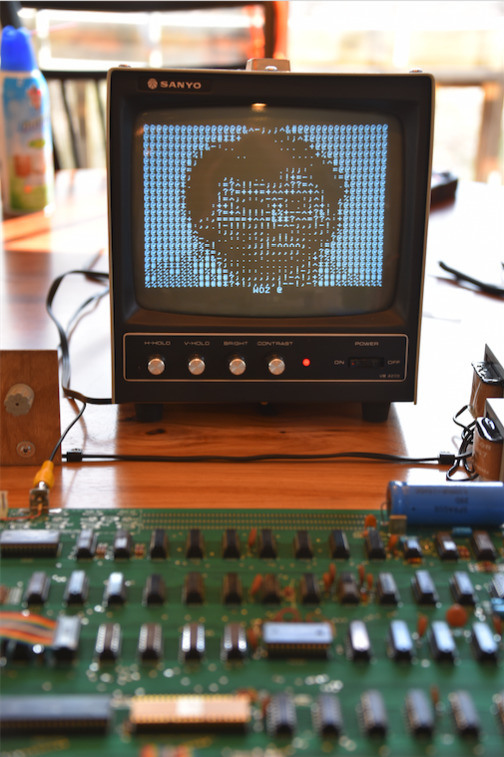
While archaic and bare-bones even by 1980s standards, in the 1970s the Apple I was unique for requiring only a keyboard and a TV to get running. It even briefly remained on sale after the April 1977 launch of the Apple II, the desktop which made Apple a household name.
Modern rarity can be blamed partly on an Apple II trade-in program, since Apple destroyed the Apple I boards that customers turned in
Source: appleinsider









