 NEWS
NEWS
Apple Files Patents for TrueDepth Camera Enhancements and a Touch Bar Feature for Low-Vision Users
 05/04/2018
 2840
2840
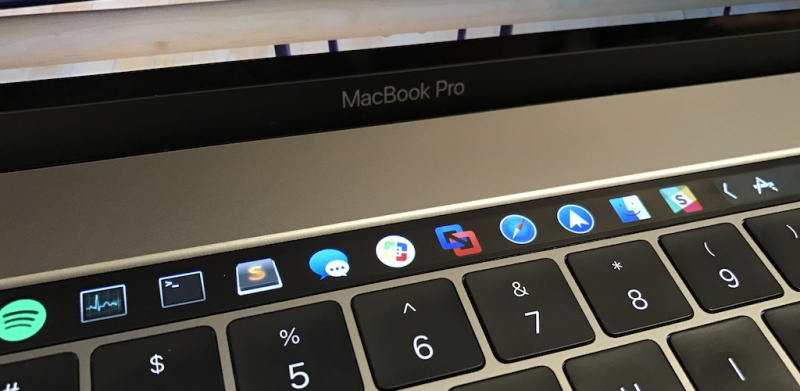
The US Patent & Trademark Office published patent applications from Apple that cover enhancements to Apple's TrueDepth camera along with a new MacBook Pro Touch Bar feature that will allow users with low-vision problems work with the Touch Bar easier.
Enabling Low-Vision Users to Interact with the MacBook's Touch Bar
On Tuesday Patently Apple posted a report titled "Apple Wins an Accessibility Patent Focused on assisting those with Hand Tremors work with Touch Devices Accurately." Today Patently Apple discovered a patent application that we missed last week that covers another unique Accessibility feature allowing those with low-vision problems work with the MacBook Pro's Touch Bar feature.

The clearest example of this proposed accessibility feature is found in patent FIG. 5A which illustrates the MacBook Pro's primary display displaying a user interface for a system preferences application, in which an Accessibility option for "Enable Touch Bar Zoom" is presented.
Apple further notes that FIG. 5A shows user selection of the enable touch bar zoom checkbox using a cursor 504 (in some embodiments, the primary display is also touch-sensitive and, thus, a user may provide an input using their finger or a stylus instead of using the cursor 504).
Activating the touch bar zoom accessibility mode allows people with vision impairments to drive user interfaces presented at the touch-sensitive secondary display in a non-traditional way, i.e., by viewing a zoomed-in representation on a primary display and providing selection and other inputs at the touch-sensitive secondary display. In some embodiments, the touch bar zoom accessibility mode is disabled by default and must be activated using, e.g., the user interface shown in FIG. 5A.
To learn more about this new Accessibility feature check out patent application 20180113600. Some of Apple's inventors include Eric Seymour, Director, Accessibility & Speech Engineering; James Craig, Manager, Accessibility Design and Quality; and Susumu Harada, Accessibility Software Engineer.
Depth Mapping System
In February Patently Apple reported on Apple's granted a patent covering their depth mapping engine that was part of Apple's new iPhone X TrueDepth camera. Today the U.S. Patent Office published a continuation patent wherein Apple adds new patent claims to better cover and protect their invention. Some of the additions that quickly stood out include the following:
Patent Claim #5 adds that a "transmitter comprises a laser."
Patent Claim #13 adds "wherein the receiver comprises a two-dimensional matrix of photodetectors with a stationary collection lens."
Patent Claim #14 adds "at least one beam comprises multiple beams emitted simultaneously by the transmitter."

Apple's patent FIG. 1 above is a schematic, pictorial illustration of a depth mapping system; FIG. 2 is a block diagram that schematically shows functional components of a depth engine; and FIG. 4 is a schematic, pictorial illustration of a MEMS scanner.
Source: patently apple











