 NEWS
NEWS
Apple’s Less Powerful iPad Mini 4 is $70 More Expensive Than the New iPad
 03/28/2018
 2673
2673
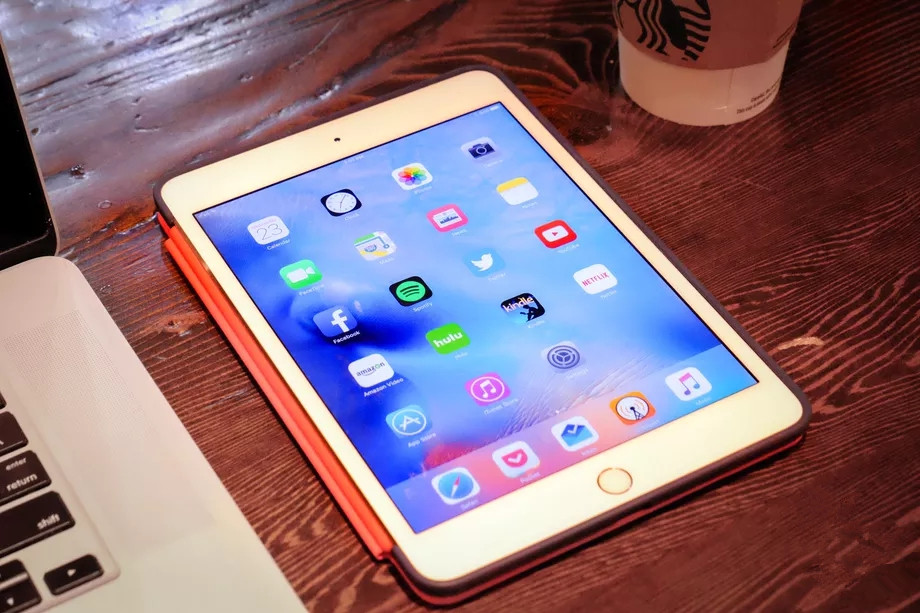
Apple refreshed its iPad lineup with a new 9.7-inch iPad with Pencil support that comes with a student-focused $30 discount. The device is designed to replace last year’s $329 base model iPad, and it sells for that same price to regular consumers. Apple’s race to beat Google in the classroom is a good thing for everyone, resulting in cheaper price points and more options. However, one product category that still remains stubbornly unaffordable in Apple’s new education and accessibility-focused iPad roadmap is the iPad mini 4.
The company’s web store was updated this morning, and the 7.9-inch iPad mini, which came out back in September of 2015, is still being sold for a mind-boggling $399, as pointed out byBusiness Insider’s Steve Kovach on Twitter. (Granted, you can get it at Best Buy for $300 as of today.) The device comes only with an A8 chip, compared with the much more powerful A10 Fusion in the $329 iPad with Pencil support that came out today. Not only that, but you’re also getting a smaller display that doesn’t support Apple’s stylus or the new cheaper Logitech Crayon stylus announced at Apple’s iPad event this morning.
Apple has been known in the past to keep devices around long past their obvious utility to consumers and advantage over similarly priced but superior products. Take, for instance, the $999 MacBook Air that’s been obviated by the new standard MacBook and similarly priced MacBook Pro or the $499 Mac mini that hasn’t been updated since 2014. The fact is that Apple likely doesn’t want to keep updating the iPad mini 4, but the company might have the hard data to suggest it sells a modest enough amount of units to warrant keeping it from discontinuation.
After all, the device was only introduced back in 2012 — despite Apple co-founder Steve Jobs’ infamous reservations about a device that existed too close in size to the iPhone — to meet a very specific and timely slice of the market. Now that the tablet market has contracted, and has only since grown thanks to Apple’s cheaper full-sized iPads, it doesn’t make too much sense to keep investing in 7- or 8-inch models, not with smartphones getting bigger and better every year. Apple might as well sell it until it becomes entirely obsolete, but it doesn’t make sense to keep it at $400.
It should go without saying that buying the iPad mini 4 is not a very sound investment. For $70 cheaper, you get a far superior device with a bigger screen, faster processor, and stylus support. If you’re really clamoring for a small, more portable iPad, you’ll probably be just fine with the outdated components of the mini 4, especially if you just want to read ebooks and watch Netflix. But we live in a world now where full-sized iPads are as cheap, and in this case cheaper, than the mini-sized tablets of a few years ago. So don’t compromise in that regard if you don’t have to.
Source: the verge









