 NEWS
NEWS
CoolStar Says Electra Public Release Could Drop This Week
 02/26/2018
 2829
2829
After a brief hiatus from Twitter, CoolStar has returned and made important announcements regarding the state of the Electra jailbreak tool for iOS 11.0-11.1.2 devices.
Citing one of his most recent Tweets, Electra’s final build is nearing completion and could be ready for a public release as soon as next week:
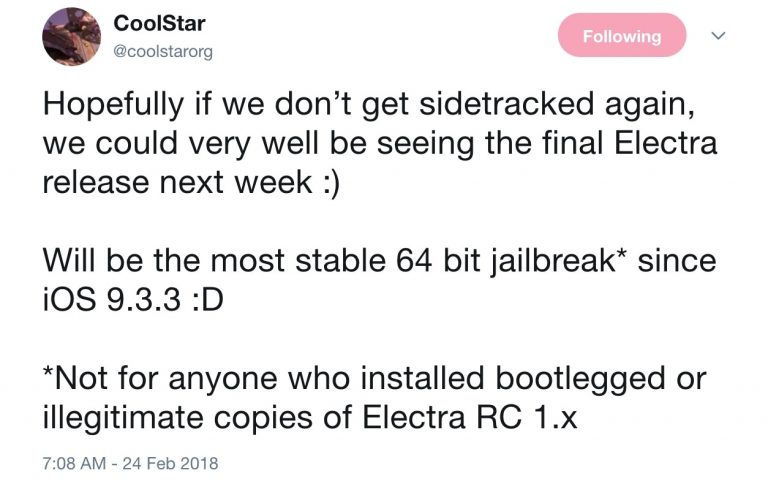
We can also gather from the Tweet that Electra’s final version should be one of the most stable 64-bit jailbreaks ever conceived since iOS 9.3.3. That said, anyone having second thoughts about jailbreaking iOS 11.0-11.1.2 with Electra may soon be able to ease their concerns.
For anyone that might’ve jailbroken with an Electra public beta or with LiberiOS, have no fear. CoolStar says the final Electra public release will remove these jailbreaks for good before moving forward, which makes the transition easier for the user:
On the other hand, this last release may not work on devices that have been jailbroken with leaked iterations of the developer-only release candidates.
Anyone that falls into this category, despite countless warnings not to use leaked Electra release candidates, will need to use FutureRestore before running the official public release.
Unlike the public betas of Electra, the official public release will include a patched version of Cydia. It’ll allow users to install and uninstall jailbreak tweaks and extensions from the third-party extension store, despite a seemingly-overdue update from Saurik himself.
There’s still no word yet concerning whether Saurik’s official Cydia update will work on the Electra jailbreak in the future. At this point, we’ll just need to wait and see.
Source: idownloadblog









