
NEWS

Apple Files Patent for Stylus That Works Without a Screen

02/07/2018

2362

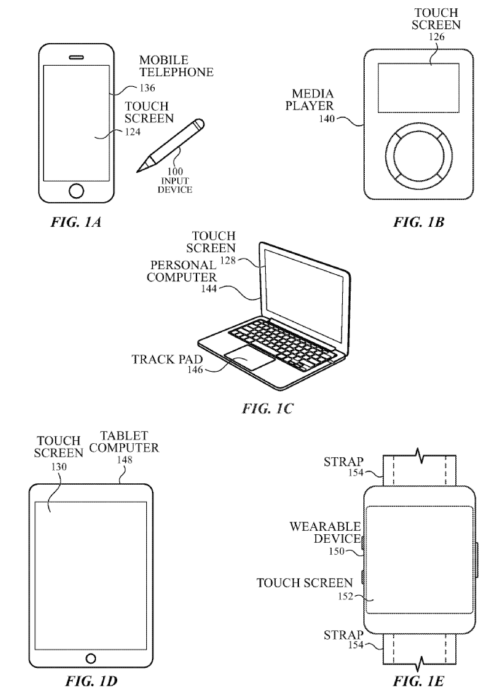
A new Apple patent details a stylus that can be used without a screen. It specifically mentions“force sensors" which leads us to believe that this could be used with future versions of the Mac that have Force Touch trackpads.


Apple patents don't typically translate to real products, however, it is interesting to look at what the Cupertino company is working on behind the curtain.

Apple Files Patent for Stylus That Works Without a Screen


In some examples, touch-down and lift-off on a non-touch-sensitive surface can be monitored by a force sensor of the input device. The position and/or motion of the input device can be tracked according to various methods including one or more of a motion and orientation sensor, a camera, or an electromagnetic- or sound-based triangulation scheme.


What's interesting is that the patent states that this could go beyond even Apple devices, and could be used with 3D objects in the real world, using the motion and accelerometer data within the stylus itself to track the information.


While this is all interesting, take this with a grain of salt as a majority of Apple's patents don't turn into products. However, an Apple Pencil 2 that can be used just as a pencil could be ground breaking if it ever makes it to market.


Source: 9to5mac


Windows
Mac OS
iOS
Linux
3uTools
Win 64-bit For this device
V9.0 2025-11-11
Download
Win 32-bit For this device
V9.0 2025-11-11
Download
3uTools
Intel Chip How to Identify Chip Type
V9.0 2025-12-02
Download
Apple Silicon
V9.0 2025-12-02
Download
How to Identify Chip Type
1.  Click the Apple icon in the top-left corner of the screen and select About This Mac.
2.  Check the Processor or Chip field to determine if it is "Intel" or "Apple".
Please use the 3uTools PC client to install the iOS client:
1、 Install either the Windows or Mac version of 3uTools on your computer
2、 Open the PC client and connect your device to the computer via USB cable
3、 After the connection is successful, wait for the computer to automatically install the mobile app for the device, or locate “Install Mobile App” on the computer and manually click to install.
3uTools
deb file
V3.01 2025-11-20
Download
rpm file
V3.01 2025-11-20
Download
Windows
Windows
iOS
iOS
Android
Android
TV
TV
3uAirPlayer
Win 64-bit For this device
V6.0.2 2025-11-19
Download
Win 32-bit For this device
V6.0.2 2025-11-19
Download
iOS Device Mirroring (No App Required)
1、 Install 3uAirPlayer on the Windows PC
2、 Open Control Center and select Screen Mirroring
3、 From the list, choose your PC to start mirroring
4、 Or connect your iOS device to the PC via USB to begin mirroring
Scan to get "3uAirPlayer" App
3uAirPlayer TV V1.0.18
2025-11-28
TV System Requirements: Android 7.0 or later
Download the TV installation package, copy it to a USB drive, insert it into your TV or set-top box, then select the file from the home screen to install.




