 NEWS
NEWS
Apple Seeds Second Beta of iOS 11.3 to Developers
 02/07/2018
 2562
2562
Apple today seeded the second beta of an upcoming iOS 11.3 update to developers for testing purposes, two weeks after seeding the first beta and two weeks after releasing iOS 11.2.5, an update that focused primarily on bug fixes and security improvements.
Registered developers can download the iOS 11.3 beta from Apple's Developer Center or over-the-air once the proper configuration profile has been installed from the Developer Center.
iOS 11.3 is a major update that introduces a long list of new features, like Messages on iCloud for storing your iMessages in iCloud, and ARKit 1.5, a new, upgraded version of ARKit that can more accurately map irregularly shaped surfaces and recognize and place objects on vertical surfaces like walls.
There are four new Animoji on the iPhone X (dragon, bear, skull, and lion), and in the Health app, there's a new Health Records feature that aggregates all of your medical records in one easy-to-access place. Health Records are limited to participating institutions, though.

AirPlay 2 features have been introduced in iOS 11.3 and tvOS 11.3, allowing audio to be played to multiple Apple TVs, and for HomeKit, iOS 11.3 introduces official support for HomeKit software authentication options.
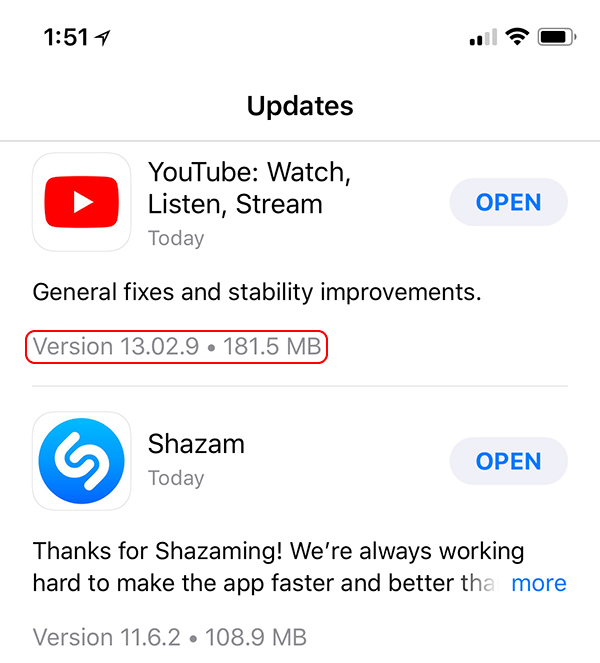
Other new features include a new "For You" section in Apple News that displays the top videos of the day, support for Advanced Mobile Location (AML) for more accurate location when placing an emergency call in a supported country, more information about app size in the Updates tap in the App Store, and a new Privacy screen and icon that will show up whenever Apple asks you for info. iBooks has also had the "i" removed from its name, so it's just "Books" now, and the App Store now lets you sort reviews by most helpful, most favorable, most critical, and most recent.
In the future, Apple plans to introduce more detailed information about the health of a device's battery. The update should provide a lot more data about battery health, and there will also be an option to let customers turn off the power management feature entirely, though Apple does not recommend disabling it. The new features will be available in Settings --> Battery and are available for iPhone 6 and later.
Business Chat, which will let you interface with businesses like Wells Fargo, Delta, Hilton and Lowe's right in the Messages app is coming when iOS 11.3 is released, and improvements to Apple Music will bring better support for music videos. Users will be able to stream music videos without adds and create and view music video playlists.
iOS 11.3 will be released to the public in the spring. Spring kicks off on March 20, so iOS 11.3 will be in testing for quite some time.
Update: According to Apple's release notes, starting with iOS 11.3 beta 2, users performing tethered updates or restores on iPhone X will need to use iTunes 12.7.3. Apple says certain features, including Face ID, may not work as expected when using an older version of iTunes.
Apple also says that the current beta does not support the 6th-generation iPod touch, but support will be added in a future beta release.
Source: macrumors









