 NEWS
NEWS
Apple’s First Store in South Korea Opens Saturday
 01/29/2018
 2947
2947
Apple Korea has unveiled a first look at the very first Apple Store in South Korea, which will open on Garosu-gil in the Sinsa neighborhood at 10 a.m. this Saturday.
According to photos of Apple Garosugil which were released on Thursday, the new Seoul Apple store will share the signature glass façade look, resembling stores in New York and San Francisco.
The single-storey building stands 7.6 meters tall, with its height on par with multiple-storey buildings nearby, presenting a spacious atmosphere with high ceilings.
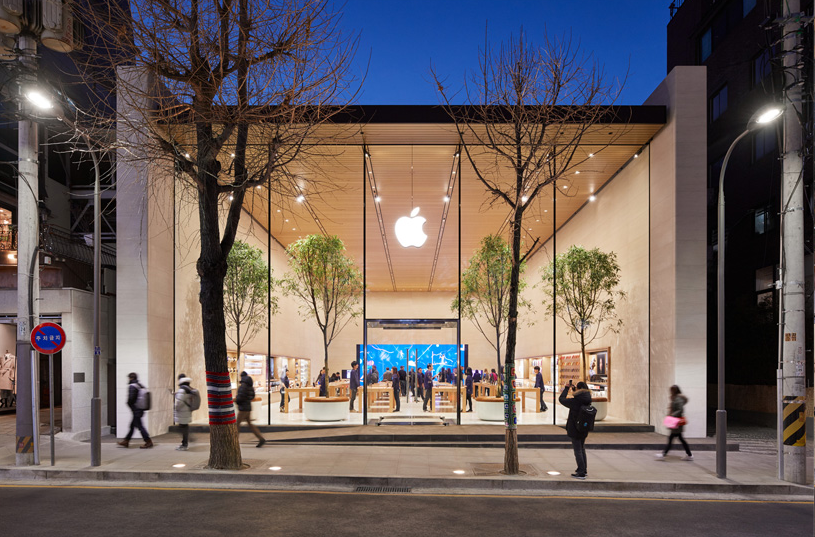
The store opened to select journalists today, with cheering staff and four sapling rubber trees welcoming visitors.
Denny Tuza, senior marketing director of Apple Retail in the Asian-Pacific region, says the wooden interior design of the store mingles with the famous trees of Garosu-gil, breaking down the physical boundaries between the store and its surroundings.
The ceilings feature home-grown oak with the walls painted in beige tones, offering visitors a calm and comforting atmosphere. At the front of the store are wooden desks showcasing the latest lineup of Apple products including the iPhone, Macbook, iPad and Apple Watch series, which customers can use and try to have a better understanding of the products.
In the Boardroom, specialized training sessions and work-related advice will be provided for educators and developers.
The store doesn’t come with a checkout counter, but staff members will be on call to help customers with purchase or repair requests. A replacement service for old iPhone batteries will be available from Saturday.
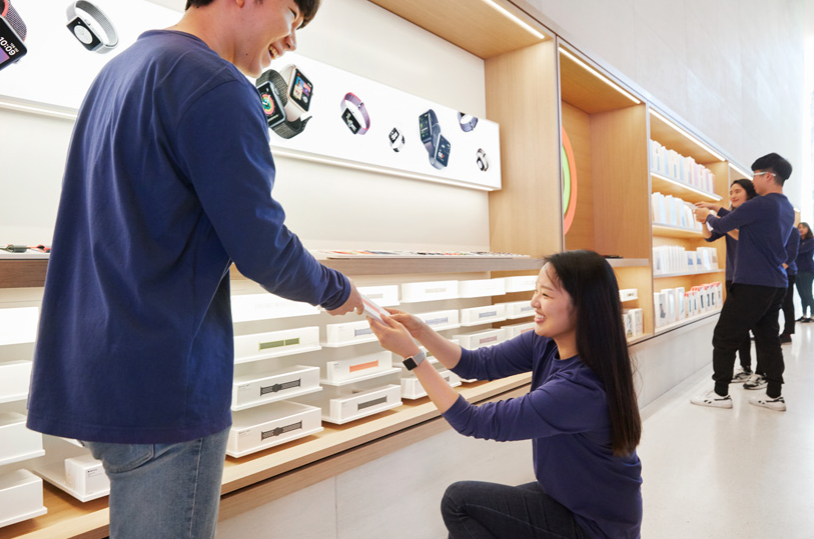
Over 100 staff members are expected to welcome customers on Saturday in one of the most famous shopping districts in Seoul.
Visitors to the shop during the opening event will receive t-shirts with a ‘nice to meet you’ message in Korean.
“We’re thrilled to open a new home for our customers in the vibrant city of Seoul and we look forward to continuing to grow in Korea,” said Angela Ahrendts, the Senior Vice President of Retail at Apple.
“Our stores are gathering places for the community where everyone is welcome to connect, learn and create,” she added.
Source: koreabizewire









