NEWS

Firefighters Respond to Another Apple Store Due to iPhone Battery Explosion

01/11/2018

2443

Firefighters Respond to Another Apple Store Due to iPhone Battery Explosion


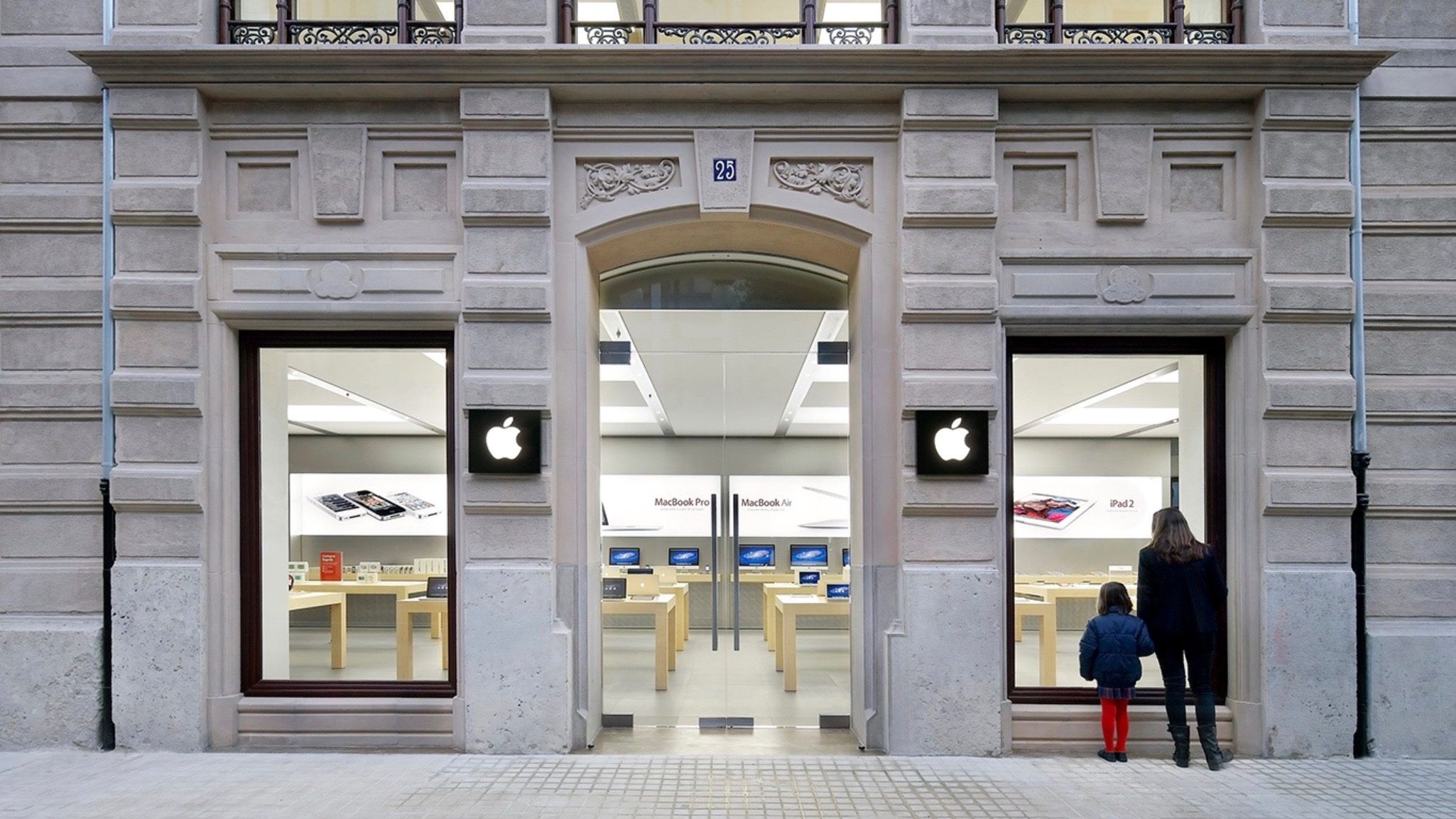
A new report of an iPhone battery explosion has surfaced today. This latest incident happened at Apple’s Calle Colón Store in Valencia, Spain and comes after yesterday’s similar occurrence at a Swiss Apple Store.


Reported by Spanish outlet Las Provincias, an iPhone battery exploded at 1:30 PM local time today as it was being worked on.


According to municipal sources, the outbreak flooded the upper floor with smoke. The firefighters did not intervene because store employees opened the windows quickly to ventilate the establishment. The workers threw dirt on the burned battery and vacated the premises without incidents.


The report doesn’t specifically mention what iPhone model was involved. Luckily there were no injuries with this latest occurrence. Yesterday’s incident in Zurich gave an Apple employee minor burns, fortunately no major injuries were caused by the iPhone 6s battery.


It may seem concerning to hear about two battery explosion issues in such a short time frame, but it’s likely they are just a coincidence. There could be the possibility of Apple Genius’ and technicians trying to move through repairs more quickly and with less caution, but that’s probably not the culprit.


The odds of seeing some more thermal events like these when Apple has issued such a massive battery replacement program will naturally increase.


As always, if you have a swollen battery in your iPhone, don’t attempt to replace it. Take it to your closest Apple Store or AASP.


Source: 9to5mac


Windows
Mac OS
iOS
Linux
3uTools
Win 64-bit For this device
V9.0 2025-11-11
Download
Win 32-bit For this device
V9.0 2025-11-11
Download
3uTools
Intel Chip How to Identify Chip Type
V9.0 2025-12-02
Download
Apple Silicon
V9.0 2025-12-02
Download
How to Identify Chip Type
1.  Click the Apple icon in the top-left corner of the screen and select About This Mac.
2.  Check the Processor or Chip field to determine if it is "Intel" or "Apple".
Please use the 3uTools PC client to install the iOS client:
1、 Install either the Windows or Mac version of 3uTools on your computer
2、 Open the PC client and connect your device to the computer via USB cable
3、 After the connection is successful, wait for the computer to automatically install the mobile app for the device, or locate “Install Mobile App” on the computer and manually click to install.
3uTools
deb file
V3.01 2025-11-20
Download
rpm file
V3.01 2025-11-20
Download
Windows
Windows
iOS
iOS
Android
Android
TV
TV
3uAirPlayer
Win 64-bit For this device
V6.0.2 2025-11-19
Download
Win 32-bit For this device
V6.0.2 2025-11-19
Download
iOS Device Mirroring (No App Required)
1、 Install 3uAirPlayer on the Windows PC
2、 Open Control Center and select Screen Mirroring
3、 From the list, choose your PC to start mirroring
4、 Or connect your iOS device to the PC via USB to begin mirroring
Scan to get "3uAirPlayer" App
3uAirPlayer TV V1.0.18
2025-11-28
TV System Requirements: Android 7.0 or later
Download the TV installation package, copy it to a USB drive, insert it into your TV or set-top box, then select the file from the home screen to install.