 NEWS
NEWS
App Store Sees Record-Breaking $300 Million in Purchases on New Year's Day
 01/05/2018
 2755
2755
The App Store had a record-breaking holiday season according to a new press release issued by Apple this afternoon. During the week starting on Christmas Eve, a record number of customers made App Store purchases, spending more than $890 million in that seven-day period.
On New Year's Day 2018 alone, customers made $300 million in purchases. Apple marketing chief Phil Schiller said the company is "thrilled" with the reaction to the revamped App Store that was introduced as part of iOS 11. 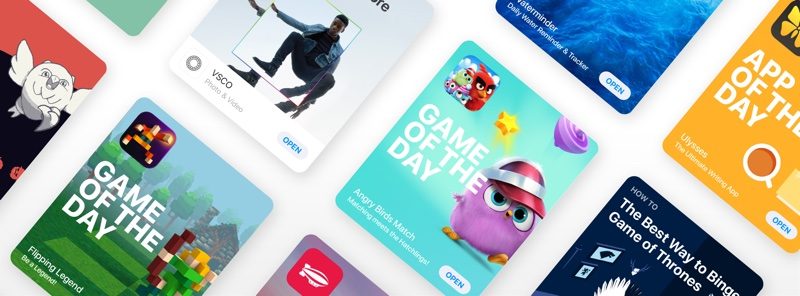
"We are thrilled with the reaction to the new App Store and to see so many customers discovering and enjoying new apps and games," said Phil Schiller, Apple's senior vice president of Worldwide Marketing. "We want to thank all of the creative app developers who have made these great apps and helped to change people's lives. In 2017 alone, iOS developers earned $26.5 billion -- more than a 30 percent increase over 2016."
According to Apple, popular augmented reality game Pokémon Go topped the App Store charts on December 21 after new AR features were introduced. Apple says there are close to 2,000 ARKit-enabled apps on the App Store, with popular titles including CSR Racing 2, Stack AR, Kings of Pool, Amazon, Wayfair, Night Sky, Pitu, and Snapchat.
Apple's ARKit mention comes following a report that has suggested interest in ARKit apps is waning. App Store data shared yesterday by Apptopia suggests developers have been releasing fewer ARKit-compatible apps over the course of the last two months.
Apple in iOS 11 introduced a new App Store that separates apps and games into distinct categories for improved app discovery. The redesigned App Store also features a "Today" section that's updated on a daily basis with new and popular apps and games.
Source: macrumors









