
NEWS

Abraham Masri, Will No Longer Work on Houdini Jailbreak Projects

01/05/2018

4764

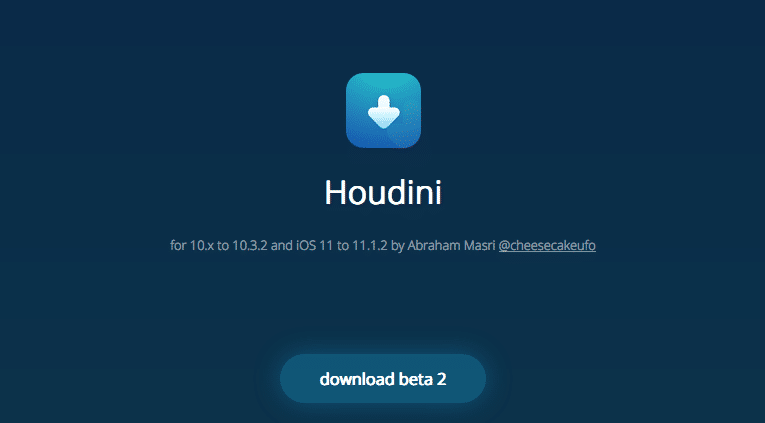
Abraham Masri aka cheesecakufo, the developer of Houdini, a tool that brings semi-jailbreak like experience first for iOS 10.3.3 and more recently for iOS 11 – iOS 11.1.2, has announced that he won’t be working on jailbreak-related projects that will be released to the public anymore.


He tweeted:


All of my jailbreak-related projects are now open source. I won’t be working on these projects (or anything public) anymore but if you’re interested in making improvements, go for it. Good luck! <3

Abraham Masri, Will No Longer Work on Houdini Jailbreak Projects


Here are the other cool things you can do with Houdini:


Hide/rename user-installed apps’ labels

Clean all apps cache

Change device’s display resolution

Hide/rename 3D Touch icons’ shortcuts.

Edit Siri’s suggestions list

Theme passcode keypad (iOS 11 style or custom pictures)

Colorize and resize icon badges.

Theme Control center icons and sliders

Theme Lock Screen ‘Music Control’ icons

System-wide ads Blocker (iOS 11)

Change Emoji fonts (iOS 11)

Change boot logo (iOS 11)

Add your face to Animoji (iOS 11) (X only)

Faster startup time

Change Icon shapes (iOS 11)


It is not clear why Abraham abruptly announced plans to quit the jailbreaking scene. He seemed to be one of the talented hackers who had managed to hack iPhone to customize it without actually jailbreaking it.


Houdini Demo for iOS 10.x (up to 10.3.2), Here is How to Install.


Source: iphonehacks

Windows
Mac OS
iOS
Linux
3uTools
Win 64-bit For this device
V9.0 2025-11-11
Download
Win 32-bit For this device
V9.0 2025-11-11
Download
3uTools
Intel Chip How to Identify Chip Type
V9.0 2025-12-02
Download
Apple Chip
V9.0 2025-12-02
Download
How to Identify Chip Type
1.  Click the Apple icon in the top-left corner of the screen and select About This Mac.
2.  Check the Processor or Chip field to determine if it is "Intel" or "Apple".
Please use the 3uTools PC client to install the iOS client:
1、 Install either the Windows or Mac version of 3uTools on your computer
2、 Open the PC client and connect your device to the computer via USB cable
3、 After the connection is successful, wait for the computer to automatically install the mobile app for the device, or locate “Install Mobile App” on the computer and manually click to install.
3uTools
deb file
V3.01 2025-11-20
Download
rpm file
V3.01 2025-11-20
Download
Windows
Windows
iOS
iOS
Android
Android
TV
TV
3uAirPlayer
Win 64-bit For this device
V6.0.2 2025-11-19
Download
Win 32-bit For this device
V6.0.2 2025-11-19
Download
iOS Device Mirroring (No App Required)
1、 Install 3uAirPlayer on the Windows PC
2、 Open Control Center and select Screen Mirroring
3、 From the list, choose your PC to start mirroring
4、 Or connect your iOS device to the PC via USB to begin mirroring
Scan to get "3uAirPlayer" App
3uAirPlayer TV V1.0.18
2025-11-28
TV System Requirements: Android 7.0 or later
Download the TV installation package, copy it to a USB drive, insert it into your TV or set-top box, then select the file from the home screen to install.




