
TUTORIALS

Houdini Demo for iOS 10.x (up to 10.3.2), Here is How to Install

12/07/2017

12466

Previously we posted What Should You know About iOS 10.x~iOS 10.3.2 Houdini Jailbreak. Now a reddit user @cheesecakeufo posted a Demo Houdini demo for iOS 10.x (up to 10.3.2) 64-bit only, he also claims this is not really a jailbreak but it does mimic some jailbreak functionalities. Also, this is an beta so be careful.
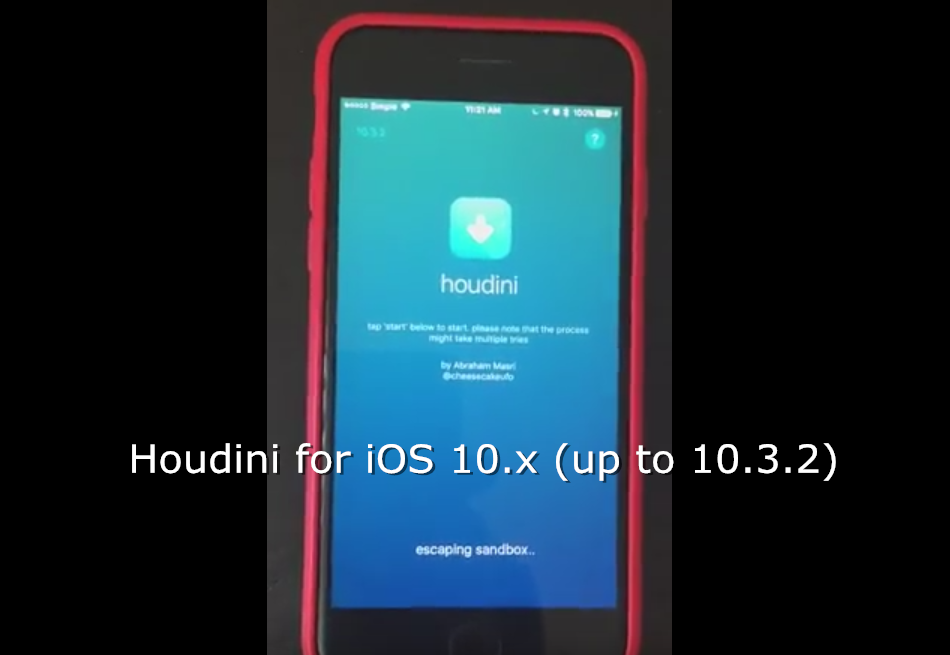

Houdini Demo for iOS 10.x (up to 10.3.2), Here is How to Install


Let's watch the demo first:


What is this:

A proof-of-concept tool that utilizes just a privilege escalation (root) exploit to mimic some jailbreak functionalities.


Things to note:

It might fail multiple times. If 'escaping sandbox' takes longer than 5 minutes, reboot and try again.

If you have issues, please report them here: https://github.com/iabem97/houdini_issues


How do I run this?

1. Download the .ipa file and Cydia Impactor

2. Open Cydia Impactor and connect your device 

3. Drag the Houdini.ipa file onto the Cydia Impactor window

4. Enter your Apple ID (email and password), ignore any PLIST_STRING errors

5. Open Settings → General → Profiles & Device Management

6. Trust the new certificate → open Houdini

7. Tap 'start' and enjoy! (Note: this might fail a couple of times at escaping sandbox)
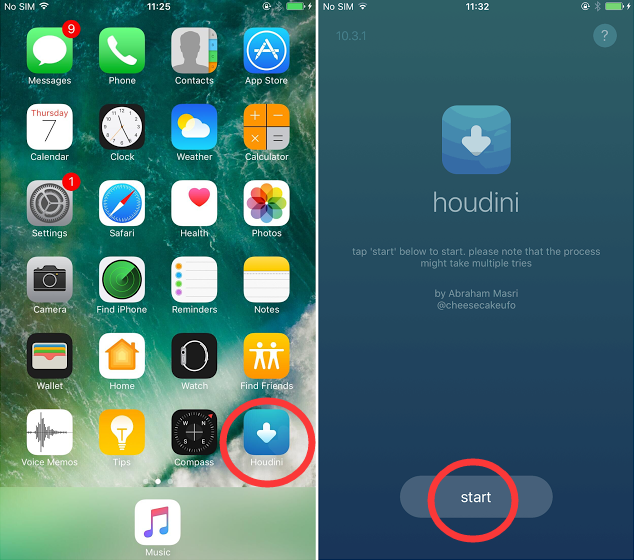

Houdini Demo for iOS 10.x (up to 10.3.2), Here is How to Install

What can this do?

  • Theme user-installed apps

  • Hide/rename user-installed apps' labels

  • Add Cydia sources and install themes

  • Clean all apps cache

  • Change device's display resolution

  • Hide/rename 3D Touch icons' shortcuts

  • Edit Siri's suggestions list

  • Theme passcode keypad (iOS 11 style or custom pictures)

  • Colorize and resize icon badges

  • Theme Control Center icons and sliders

  • Theme Lock Screen 'Music Control' icons

  • And potentially more


Where can I get this?

https://iabem97.github.io/houdini_website/


Source: reddit



Windows
Mac OS
iOS
Linux
3uTools
Win 64-bit For this device
V9.0 2025-11-11
Download
Win 32-bit For this device
V9.0 2025-11-11
Download
3uTools
Intel Chip How to Identify Chip Type
V9.0 2025-12-02
Download
Apple Chip
V9.0 2025-12-02
Download
How to Identify Chip Type
1.  Click the Apple icon in the top-left corner of the screen and select About This Mac.
2.  Check the Processor or Chip field to determine if it is "Intel" or "Apple".
Please use the 3uTools PC client to install the iOS client:
1、 Install either the Windows or Mac version of 3uTools on your computer
2、 Open the PC client and connect your device to the computer via USB cable
3、 After the connection is successful, wait for the computer to automatically install the mobile app for the device, or locate “Install Mobile App” on the computer and manually click to install.
3uTools
deb file
V3.01 2025-11-20
Download
rpm file
V3.01 2025-11-20
Download
Windows
Windows
iOS
iOS
Android
Android
TV
TV
3uAirPlayer
Win 64-bit For this device
V6.0.2 2025-11-19
Download
Win 32-bit For this device
V6.0.2 2025-11-19
Download
iOS Device Mirroring (No App Required)
1、 Install 3uAirPlayer on the Windows PC
2、 Open Control Center and select Screen Mirroring
3、 From the list, choose your PC to start mirroring
4、 Or connect your iOS device to the PC via USB to begin mirroring
Scan to get "3uAirPlayer" App
3uAirPlayer TV V1.0.18
2025-11-28
TV System Requirements: Android 7.0 or later
Download the TV installation package, copy it to a USB drive, insert it into your TV or set-top box, then select the file from the home screen to install.




