
NEWS

Apple to Open Source the Lisa Operating System and Applications

12/26/2017

3084

Apple Lisa is a desktop computer developed by Apple, released in1983. It was one of the first personal computers to offer a graphical user interface (GUI) in a machine aimed at individual business users. Because the high price, relatively low performance led to poor sales.


Al Kossow from Computer History Museum announced that Apple will share Lisa source code of operating system and applications and donate to them.


Here is what he said: 


Just wanted to let everyone know the sources to the OS and applications were recovered, I converted them to Unix end of line conventions and space for Pascal tabs after the files using Disk Image Chef, and they are with Apple for review. After that's done, the Computer History Museum will do a CHM blog post about the historical significance of the software and the code that is cleared for release by Apple will be made available in 2018. The only thing I saw that probably won't be able to be released is the American Heritage dictionary for the spell checker in LisaWrite.
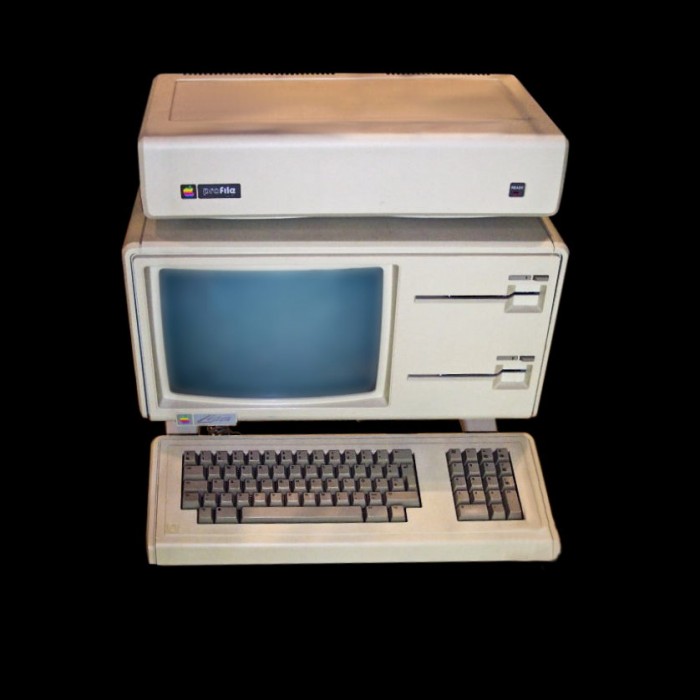

Apple to Open Source the Lisa Operating System and Applications


Source: cnbeta


Windows
Mac OS
iOS
Linux
3uTools
Win 64-bit For this device
V9.0 2025-11-11
Download
Win 32-bit For this device
V9.0 2025-11-11
Download
3uTools
Intel Chip How to Identify Chip Type
V9.0 2025-12-02
Download
Apple Silicon
V9.0 2025-12-02
Download
How to Identify Chip Type
1.  Click the Apple icon in the top-left corner of the screen and select About This Mac.
2.  Check the Processor or Chip field to determine if it is "Intel" or "Apple".
Please use the 3uTools PC client to install the iOS client:
1、 Install either the Windows or Mac version of 3uTools on your computer
2、 Open the PC client and connect your device to the computer via USB cable
3、 After the connection is successful, wait for the computer to automatically install the mobile app for the device, or locate “Install Mobile App” on the computer and manually click to install.
3uTools
deb file
V3.01 2025-11-20
Download
rpm file
V3.01 2025-11-20
Download
Windows
Windows
iOS
iOS
Android
Android
TV
TV
3uAirPlayer
Win 64-bit For this device
V6.0.2 2025-11-19
Download
Win 32-bit For this device
V6.0.2 2025-11-19
Download
iOS Device Mirroring (No App Required)
1、 Install 3uAirPlayer on the Windows PC
2、 Open Control Center and select Screen Mirroring
3、 From the list, choose your PC to start mirroring
4、 Or connect your iOS device to the PC via USB to begin mirroring
Scan to get "3uAirPlayer" App
3uAirPlayer TV V1.0.18
2025-11-28
TV System Requirements: Android 7.0 or later
Download the TV installation package, copy it to a USB drive, insert it into your TV or set-top box, then select the file from the home screen to install.





