
NEWS

Face ID Is the iPhone X Feature Users Enjoy the Most

12/22/2017

2680

The iPhone X camera is the main lure drawing consumers to upgrade. More specifically, the front-facing camera system — which forms the foundation for Face ID and Animojis — is said to be the feature that iPhone buyers are most excited by and interested in.


An abstract of the report reads in part: Analyzing early adopter reviews of Apple’s iPhone X from major online retailers, a new report from the Consumer Sentiment Analysis (CSA) service at Strategy Analytics “Early Buyer Sentiment: iPhone X Consumer Sentiment High for Camera, Display, and Face ID” has found that its camera is the major driver among positive ratings and in particular, the front facing camera which allows Apple’s new security feature, Face ID, is a key market differentiator.
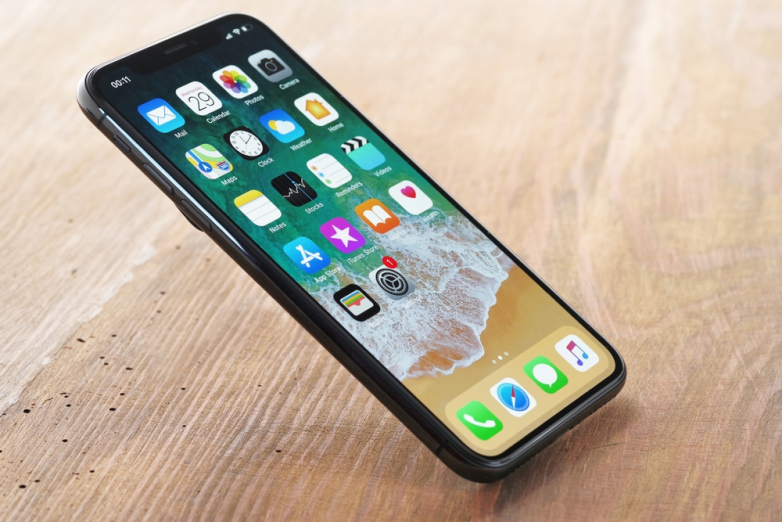

Face ID Is the iPhone X Feature Users Enjoy the Most


The report should come as welcome news for Apple, especially given that removing the home button — a cornerstone of the iOS user experience since the very beginning — was fraught with risk. While the introduction of Face ID naturally raised a number of pertinent questions about usability, it turns out that Face ID works as well as advertised. Indeed, many users actually find Face ID to be as seamless as Touch ID, if not more so.


Looking ahead, a number of analysts anticipate that the iPhone X will help Apple set a new iPhone sales record in 2018. Morgan Stanley specifically notes that iPhone sales next year could check in at 262 million, easily besting the current sales record of 231.2 million units Apple set in 2015.


Source: bgr

Windows
Mac OS
iOS
Linux
3uTools
Win 64-bit For this device
V9.0 2025-11-11
Download
Win 32-bit For this device
V9.0 2025-11-11
Download
3uTools
Intel Chip How to Identify Chip Type
V9.0 2025-12-02
Download
Apple Silicon
V9.0 2025-12-02
Download
How to Identify Chip Type
1.  Click the Apple icon in the top-left corner of the screen and select About This Mac.
2.  Check the Processor or Chip field to determine if it is "Intel" or "Apple".
Please use the 3uTools PC client to install the iOS client:
1、 Install either the Windows or Mac version of 3uTools on your computer
2、 Open the PC client and connect your device to the computer via USB cable
3、 After the connection is successful, wait for the computer to automatically install the mobile app for the device, or locate “Install Mobile App” on the computer and manually click to install.
3uTools
deb file
V3.01 2025-11-20
Download
rpm file
V3.01 2025-11-20
Download
Windows
Windows
iOS
iOS
Android
Android
TV
TV
3uAirPlayer
Win 64-bit For this device
V6.0.2 2025-11-19
Download
Win 32-bit For this device
V6.0.2 2025-11-19
Download
iOS Device Mirroring (No App Required)
1、 Install 3uAirPlayer on the Windows PC
2、 Open Control Center and select Screen Mirroring
3、 From the list, choose your PC to start mirroring
4、 Or connect your iOS device to the PC via USB to begin mirroring
Scan to get "3uAirPlayer" App
3uAirPlayer TV V1.0.18
2025-11-28
TV System Requirements: Android 7.0 or later
Download the TV installation package, copy it to a USB drive, insert it into your TV or set-top box, then select the file from the home screen to install.




