 NEWS
NEWS
Apple Confirms iPhones with Older Batteries will Take Hits in Performance
 12/21/2017
 2778
2778
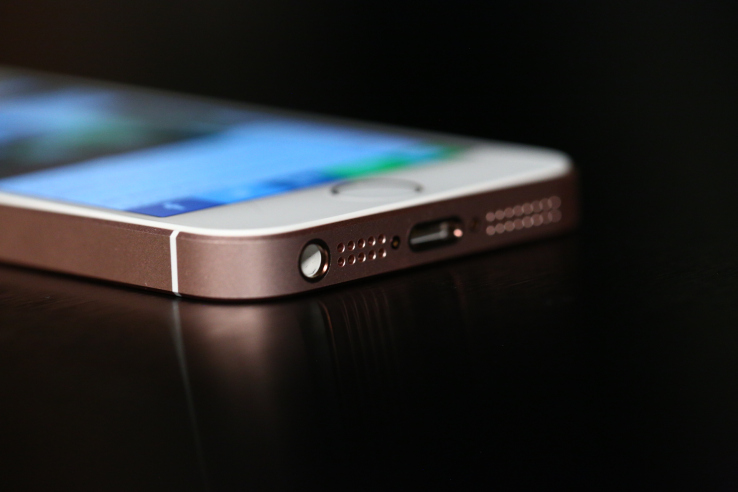
Because of a Reddit post and the loose interpretation of subsequent benchmark testsposted by Primate Labs’ John Poole, the “Apple throttles old iPhones” meme has reared its ugly head again.
The gist, as it always is, is that Apple is being super petty and trying to force customers to upgrade their phones by making their old phones run slower.
As always, the answer is no. It would be beyond stupid and incredibly short-sighted for Apple to do this and, if it was actually true, would likely lead to tangles of a governmental and legal nature that no company like Apple would ever want to happen.
Instead, Apple is focusing attention on smoothing out the very high and quick peaks of power draw that can cause problems with older batteries.
Here’s a statement that Apple provided when I inquired about the power profile that people were seeing when testing iPhones with older batteries:
"Our goal is to deliver the best experience for customers, which includes overall performance and prolonging the life of their devices. Lithium-ion batteries become less capable of supplying peak current demands when in cold conditions, have a low battery charge or as they age over time, which can result in the device unexpectedly shutting down to protect its electronic components. "
"Last year we released a feature for iPhone 6, iPhone 6s and iPhone SE to smooth out the instantaneous peaks only when needed to prevent the device from unexpectedly shutting down during these conditions. We’ve now extended that feature to iPhone 7 with iOS 11.2, and plan to add support for other products in the future."
The short-form version of what Poole’s benchmarks are showing is the result of a power curve-smoothing algorithm that Apple rolled out last year to mitigate iPhone shutdown issues.
Basically, iPhones were hitting peaks of processor power that the battery was unable to power and the phones were shutting off. Apple then added power management to all iPhones at the time that would “smooth out” those peaks by either capping the power available from the battery or by spreading power requests over several cycles. This is clearly shown in Poole’s charts in his post:

Also, to be clear, Poole’s charts appear to be accurate — nor is Apple saying this isn’t happening.
Some users who have had older batteries replaced also said they’ve seen improved benchmarks after replacing their batteries. Well, yeah. Of course. As batteries age, they stop working as well. Period.
And that age isn’t just about years or charge cycles — heat is a huge killing factor for batteries, for instance. If your iPhone gets left out in the sun a lot or gets hot a bunch, then your battery will kick the bucket a lot sooner.
As that battery ages, iOS will check its responsiveness and effectiveness actively. At a point when it becomes unable to give the processor all the power it needs to hit a peak of power, the requests will be spread out over a few cycles.
Remember, benchmarks, which are artificial tests of a system’s performance levels, will looklike peaks and valleys to the system, which will then trigger this effect. In other words, you’re always going to be triggering this when you run a benchmark, but you definitely will not always trigger this effect when you’re using your iPhone like normal.
Source: techcrunch









