NEWS

Apple Has Finally Turned on its Podcast Analytics Feature

12/15/2017

2476

Apple Has Finally Turned on its Podcast Analytics Feature


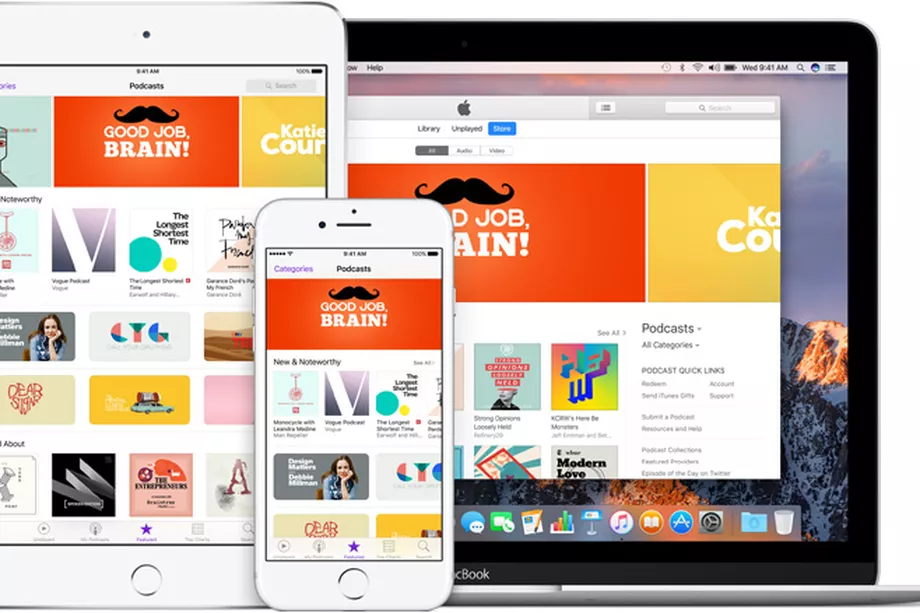
Apple hinted earlier this year at WWDC that it was planning its own podcast analytics serviceso show creators could see how their podcasts are performing. The company has finally launched a beta version of that free service today, reports Recode, which gives more information on who is listening on Apple’s Podcast app and their behaviors and preferences.


The free analytics service can tell creators which episode a listener tuned out, the average completion rate of an episode, the total time listened, and time per device. It also reveals which countries listeners are from, for over 150 countries in which the podcasts app is available. But it will only include data on users running iOS 11 and iTunes 12.7.


The service could be an eye-opener to podcast creators. Before this analytics service, there just wasn’t much open information available on listener habits besides basic download metrics and other streaming figures. Now, podcast creators — and the advertisers that subsidize them — may be getting an unpleasant wake-up call if, as many creators and industry watchers assume, it turns out listener bases are far smaller than previously thought.


Source: the verge

Windows
Mac OS
iOS
Linux
3uTools
Win 64-bit For this device
V9.0 2025-11-11
Download
Win 32-bit For this device
V9.0 2025-11-11
Download
3uTools
Intel Chip How to Identify Chip Type
V9.0 2025-12-02
Download
Apple Silicon
V9.0 2025-12-02
Download
How to Identify Chip Type
1.  Click the Apple icon in the top-left corner of the screen and select About This Mac.
2.  Check the Processor or Chip field to determine if it is "Intel" or "Apple".
Please use the 3uTools PC client to install the iOS client:
1、 Install either the Windows or Mac version of 3uTools on your computer
2、 Open the PC client and connect your device to the computer via USB cable
3、 After the connection is successful, wait for the computer to automatically install the mobile app for the device, or locate “Install Mobile App” on the computer and manually click to install.
3uTools
deb file
V3.01 2025-11-20
Download
rpm file
V3.01 2025-11-20
Download
Windows
Windows
iOS
iOS
Android
Android
TV
TV
3uAirPlayer
Win 64-bit For this device
V6.0.2 2025-11-19
Download
Win 32-bit For this device
V6.0.2 2025-11-19
Download
iOS Device Mirroring (No App Required)
1、 Install 3uAirPlayer on the Windows PC
2、 Open Control Center and select Screen Mirroring
3、 From the list, choose your PC to start mirroring
4、 Or connect your iOS device to the PC via USB to begin mirroring
Scan to get "3uAirPlayer" App
3uAirPlayer TV V1.0.18
2025-11-28
TV System Requirements: Android 7.0 or later
Download the TV installation package, copy it to a USB drive, insert it into your TV or set-top box, then select the file from the home screen to install.