 NEWS
NEWS
Android App 'weMessage' Lets You Get iMessages on Your Android Smartphone With a Mac
 12/14/2017
 2585
2585
There's no official way to get iMessages on a non-iOS device like an Android smartphone, but a new Android app aims to provide a workaround, at least temporarily. weMessage is designed to allow you to get iMessages on an Android device, but for it to work, a Mac is required.
weMessage uses a weServer app on a Mac, which takes iMessages that are delivered to a Mac and forwards them to an Android smartphone or tablet. As described by the developer on reddit, the weServer app acts as a bridge between a Mac and an Android device, using Accessibility features to tap into Apple's Messages app for the Mac. 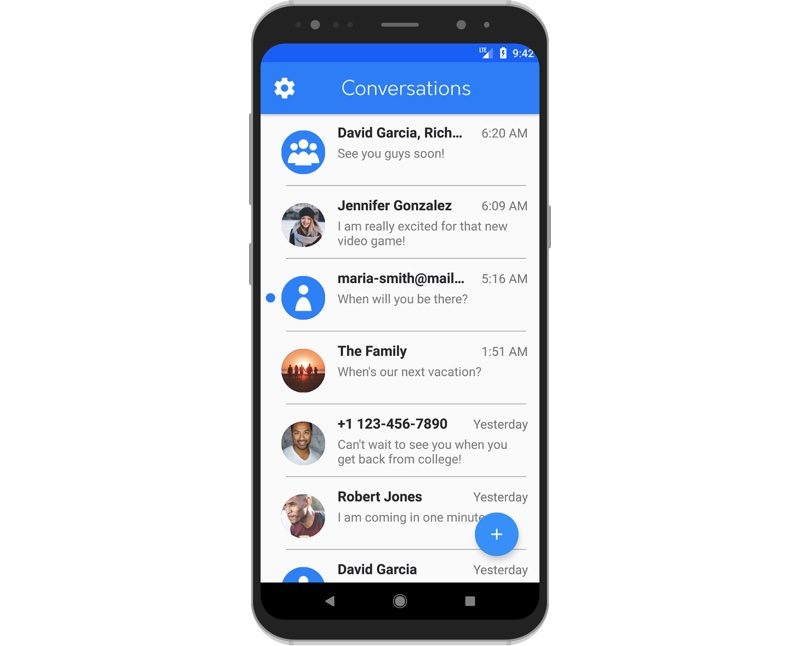
weMessage works by using Apple's developer tools that hook into the Messages app, as well as by turning on Accessibility features that will perform the message sending. There was zero reverse engineering involved in the creation of this app, so all messages being sent are legitimate. In addition, I believe this implementation is fair, as you still need to have an Apple device to use iMessage, but it is merely being extended to all devices.
According to the developer, all iMessage features are supported, including group chats, attachments, notifications, Do Not Disturb, content blocking, and more, with notifications enabled by sending messages to the Google Firebase platform.
Unfortunately, while this appears to be a solid attempt at routing iMessages to an Android device based on reddit comments, this is not an app that's likely to last. Similar apps and methods of forwarding iMessages to Android devices have popped up in the past, but have been shut down by Apple.
It's likely Apple will require the developer to shutter the app, and it may soon be removed from the Google Play Store, but in the meantime, it's available for any Android users who also have a Mac and want to experiment with iMessage.
There have been rumors suggesting Apple has considered an iMessage app for Android devices, and Apple even reportedly created detailed mockups of what such an app might look like, but there has not been concrete evidence that an Android iMessage app has ever been in the works.
Apple execs are said to believe that iMessage, as a "superior messaging platform," helps to spur iPhone, iPad, and Mac sales, suggesting iMessage is not likely to expand beyond Apple's devices anytime soon.
The developer behind weMessage was originally charging $2.99, but it's now available to download for free.
Source: macrumors









