
NEWS

Apple has Posted Obvious Logos in Apple Store of Brookyln

11/28/2017

2373

Apple has posted obvious logos and its normal "we've got something special in store" signage outside 123 Flatbush Avenue in Brooklyn, New York that will be opening on Dec. 2 at 10:00 a.m.
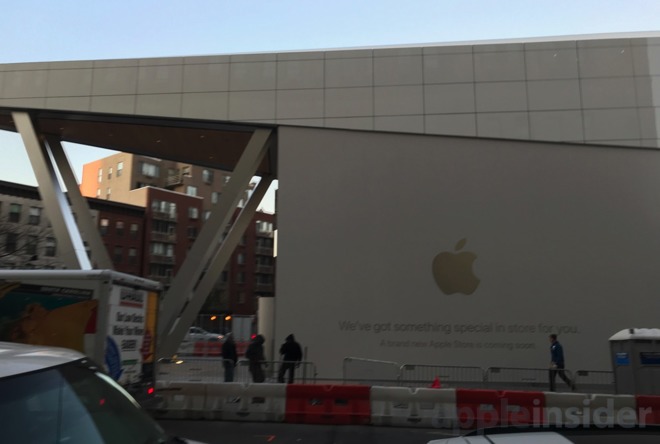

Apple has Posted Obvious Logos in Apple Store of Brookyln


The site previously had issues with a large glass pane that had shattered, and appears to have been replaced. At the time, the Apple logos were shrouded, but were still pretty obvious, even underneath the coating.


Monday's photos are courtesy Steve Giralt.
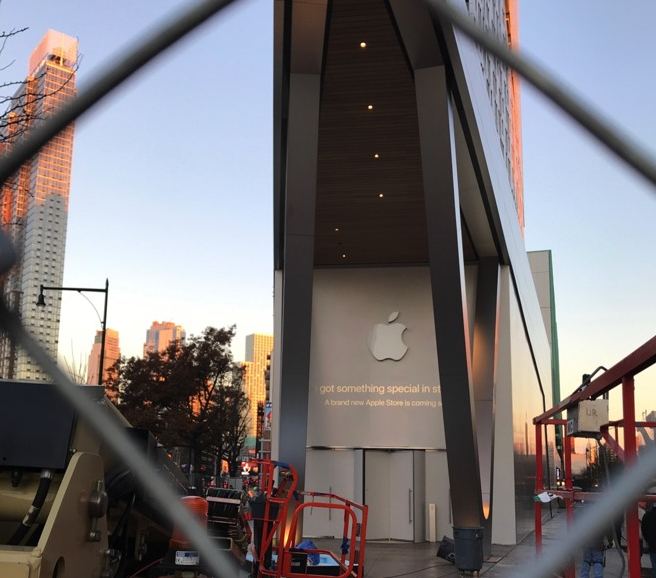

Apple has Posted Obvious Logos in Apple Store of Brookyln


Apple was said to have signed a 10-year lease for the prime location in Fort Greene earlier this year. In addition to being next door to a transportation hub, 300 Ashland Place is also near the Barclays Center, home to the Brooklyn Nets, New York Islanders, and countless concerts and other events.


Apple's first retail store in Brooklyn opened in Williamsburg in July of 2016, a few miles north of downtown. The company has a total of ten stores in New York City, all but three of which are located in Manhattan.


Driven by the blockbuster iPhone X, it's expected that the 2017 holiday season will result in Apple's best quarter in company history, making it a prime opportunity for the company to cash in with a new store in New York's most populous borough.


Source: appleinsider


Windows
Mac OS
iOS
Linux
3uTools
Win 64-bit For this device
V9.0 2025-11-11
Download
Win 32-bit For this device
V9.0 2025-11-11
Download
3uTools
Intel Chip How to Identify Chip Type
V9.0 2025-12-02
Download
Apple Chip
V9.0 2025-12-02
Download
How to Identify Chip Type
1.  Click the Apple icon in the top-left corner of the screen and select About This Mac.
2.  Check the Processor or Chip field to determine if it is "Intel" or "Apple".
Please use the 3uTools PC client to install the iOS client:
1、 Install either the Windows or Mac version of 3uTools on your computer
2、 Open the PC client and connect your device to the computer via USB cable
3、 After the connection is successful, wait for the computer to automatically install the mobile app for the device, or locate “Install Mobile App” on the computer and manually click to install.
3uTools
deb file
V3.01 2025-11-20
Download
rpm file
V3.01 2025-11-20
Download
Windows
Windows
iOS
iOS
Android
Android
TV
TV
3uAirPlayer
Win 64-bit For this device
V6.0.2 2025-11-19
Download
Win 32-bit For this device
V6.0.2 2025-11-19
Download
iOS Device Mirroring (No App Required)
1、 Install 3uAirPlayer on the Windows PC
2、 Open Control Center and select Screen Mirroring
3、 From the list, choose your PC to start mirroring
4、 Or connect your iOS device to the PC via USB to begin mirroring
Scan to get "3uAirPlayer" App
3uAirPlayer TV V1.0.18
2025-11-28
TV System Requirements: Android 7.0 or later
Download the TV installation package, copy it to a USB drive, insert it into your TV or set-top box, then select the file from the home screen to install.




