 NEWS
NEWS
BigBoss to Accept Themes Following Archival of ModMyi and ZodTTD/MacCiti Repos
 12/01/2017
 6798
6798
Following the unfortunate archival of the ModMyi and ZodTTD/MacCiti Cydia repositories, the BigBoss repository will begin picking up much of the slack to become perhaps the last major default Cydia source for jailbreakers to download packages from.
Because both ModMyi and ZodTTD/MacCiti were two of the most popular theme-hosting repositories that came installed with Cydia by default, their closure put a notable dent in the community; primarily for theme creators and WinterBoard fanatics that had nowhere else to go.
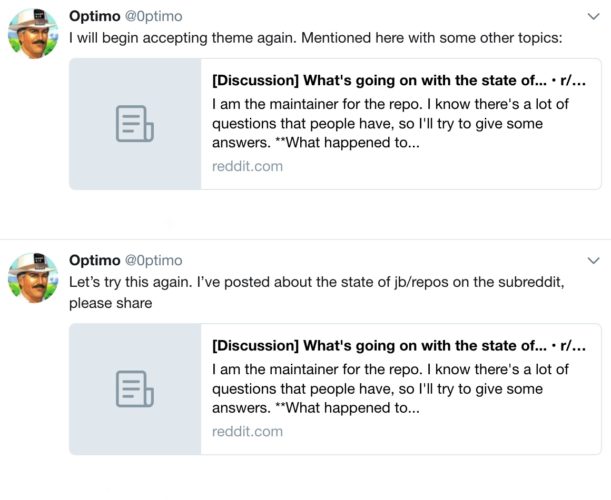
The BigBoss repository previously opted not to accept theme-based packages and focus primarily on jailbreak tweaks instead, but given the current circumstances, BigBoss maintainer Optimo declared this weekend that his repository would overturn this policy and accept theme submissions once again following a long hiatus:
Theme creators that hosted packages on ModMyi or ZodTTD/MacCiti previously can submit any updates to their packages to the BigBoss repository instead. Users of these packages shouldn’t notice any hiccups while updating since the previous repositories to host them have been permanently-archived to Cydia’s servers.
Optimo’s latest update also repeats a key point from earlier in the week that the BigBoss repository will continue operating until it stops generating the income necessary to pay for server costs, etc.
“Times are tough no doubt, and all the repos are affected; our ad-supported business model may not be ideal, but it’s taken us far,” he explained in a public statement via Reddit. “My repo will continue business as normal until that’s no longer a business that works. I plan to keep the community fully apprised should something serious happen to those plans, but the future is sort of unknown really. I will keep working closely with Saurik, as we have throughout this transition.”
Whether the end of jailbreaking approaches rapidly or not remains to be seen. There’s undoubtedly a downward spiral, but a glimmer of hope still exists that someone, somewhere will rescue the community with another season of jailbreaking just as Luca Todesco did with iOS 10 last year. As Optimo puts it, things are just too “uncertain” these days.
One hacker recently demoed a jailbreak running on the iPhone X, signifying that jailbreaking Apple’s latest lineup of handsets is still possible. On the other hand, this was merely a proof of concept and unlikely to get released to the public. Many hackers opt to sell their exploits to bug bounty programs rather than building jailbreak tools because it’s a profitable venture.
Given the way things are going as of late, are you pleased to see the BigBoss repository accepting theme-based packages once more? Let us know in the comments section below.
Source: idownloadblog










