 NEWS
NEWS
iPhones Get Faster 7.5W Wireless Charging with iOS 11.2
 11/15/2017
 2879
2879
Starting with iOS 11.2, the iPhone 8, iPhone 8 Plus, and iPhone X are able to charge at 7.5 watts using compatible Qi-based wireless charging accessories.
Currently, on iOS 11.1.1, the three devices charge at 5 watts using Qi wireless chargers, but Apple promised that faster speeds would become available in a future update. It appears that update is iOS 11.2. 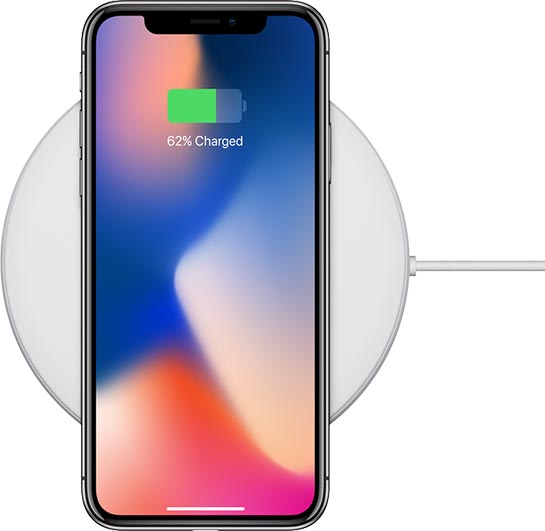
MacRumors received a tip about the new feature from accessory maker RAVpower this evening, and tested the new charging speeds to confirm. Using the Belkin charger that Apple sells, which does support 7.5W charging speeds, the iPhone X was charged from 46 to 66 percent over the course of thirty minutes.
The same iPhone charged from 46 percent to 60 percent over 30 minutes when using a wireless charging accessory that does not offer 7.5W charging speeds. Our testing was intended to emulate real world conditions, with a case on and Airplane Mode not activated.
With support for 7.5W charging speeds, the iPhone 8, 8 Plus, and iPhone X will be able to charge more quickly over a wireless connection, and it appears 7.5W wireless charging speeds are faster than the speeds you get with the standard wired 5W power adapter.
At 7.5 watts, Apple's wireless iPhones do not support the same wireless charging speeds that are available on some other Qi-based smartphones, as the current Qi 1.2 standard allows for up to 15W of wireless charging power. Still, 7.5 watts is better than 5 watts and should offer some noticeable improvements for iPhone 8, 8 Plus, and X owners.
Both the Mophie Wireless Charging Base and the Belkin Boost Up Wireless Charging Padthat are available from Apple support the faster 7.5W wireless charging speeds.
Several other Qi-based wireless charging accessories from other third-party manufacturers also support the higher speeds, such as the RAVpower Fast Wireless Charger, but there are accessories out there that don't, so you'll want to look for 7.5W charging speeds as a listed feature when making a purchase.
iOS 11.2 is limited to developers and public beta testers at this time, but as we're on the third beta, a public release could come in a few weeks to a month.
Source: macrumors










