 NEWS
NEWS
Apple Has Finally Won $120 Million from Samsung in Slide-to-unlock Patent Battle
 11/07/2017
 3413
3413
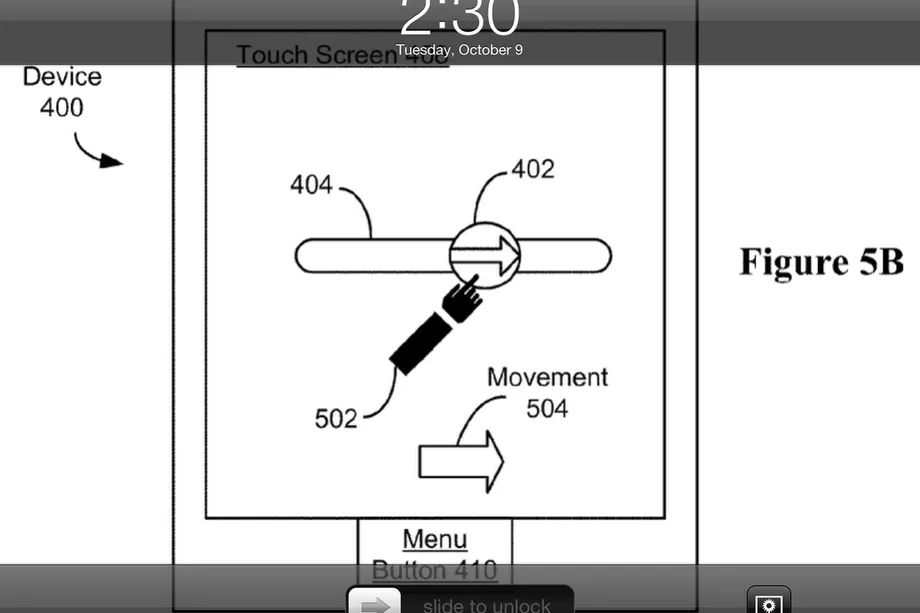
After years of sparring in the courts, Apple has once and for all claimed victory over Samsung to the count of $120 million. The Supreme Court said today that it wouldn’t hear an appeal of the patent infringement case, first decided in 2014, which has been bouncing through appeals courts in the years since.
The case revolved around Apple’s famous slide-to-unlock patent and, among others, its less-famous quick links patent, which covered software that automatically turned information like a phone number into a tappable link. Samsung was found to have infringed both patents. The ruling was overturned almost two years later, and then reinstated once again less than a year after that. From there, Samsung appealed to the Supreme Court, which is where the case met its end today.
Naturally, Samsung isn’t pleased with the outcome. “Our argument was supported by many who believed that the Court should hear the case to reinstate fair standards that promote innovation and prevent abuse of the patent system,” a Samsung representative said in a statement. The company also said the ruling would let Apple “unjustly profit” from an invalid patent.
Apple did not immediately respond to a request for comment.
This isn’t the end of Apple and Samsung’s legal battles, however. This is only the end of one case. The two still haven’t put an end to their much bigger lawsuit — the one that originally gave Apple more than a $1 billion win against Samsung, which has since been whittled downto closer to $400 million. That case returns to court in May to debate how the damages should be calculated.
Source: the verge










