
NEWS

Will the Biggest iPhone 8 Come Out Next Year?

11/14/2016

3392

Can we look forward to the biggest iPhone yet next year?
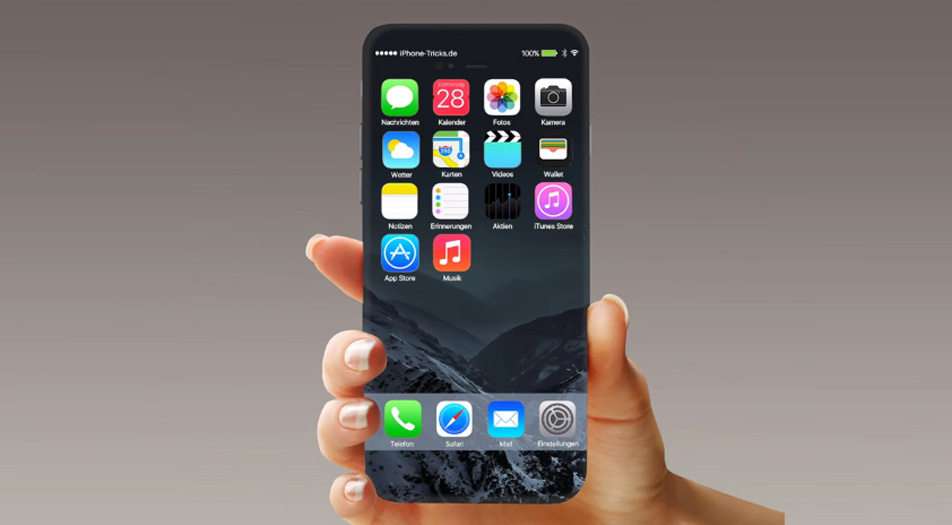

Will the Biggest iPhone 8 Come Out Next Year?


With Apple’s decision to, in effect, release a second interim upgrade with the iPhone 7, anticipation is greater than usual for what will come next.


Whether it becomes the iPhone 7s, iPhone 8, or 10th Anniversary iPhone, at least one of the models will use an organic light-emitting diode (OLED) display and be really big, according to a recent report from MacRumors, which cites Barclays Research, whose analysts talked to sources within Apple’s supply chain during a trip to Asia.


How different and how big? How about a bezel-less display design with a screen size of 5.8 inches (up from the 7 Plus’ 5.5 inches). That larger model would also use an OLED display, a first for an iPhone. (Note: as a reader astutely points out, the actual dimensions of the 5.8-inch iPhone may not be much bigger than the 5.5-inch iPhone 7 Plus because of the bezel-less design.)


It’s still very early so those display sizes are not “100% locked down” but Barclays believes the trend for Apple is to move to larger screen sizes and curved edges (possibly not unlike the Samsung Galaxy s7 Edge), according to MacRumors.


This follows reports earlier in the year pointing to a 5.8-inch iPhone with a curved OLED display. And Japan-based Nikkei has said that the large iPhone will be a premium model and sold alongside more traditional 4.7-inch and 5-inch iPhones with more conventional LCD screens.


Source: Forbe


Windows
Mac OS
iOS
Linux
3uTools
Win 64-bit For this device
V9.0 2025-11-11
Download
Win 32-bit For this device
V9.0 2025-11-11
Download
3uTools
Intel Chip How to Identify Chip Type
V9.0 2025-12-02
Download
Apple Chip
V9.0 2025-12-02
Download
How to Identify Chip Type
1.  Click the Apple icon in the top-left corner of the screen and select About This Mac.
2.  Check the Processor or Chip field to determine if it is "Intel" or "Apple".
Please use the 3uTools PC client to install the iOS client:
1、 Install either the Windows or Mac version of 3uTools on your computer
2、 Open the PC client and connect your device to the computer via USB cable
3、 After the connection is successful, wait for the computer to automatically install the mobile app for the device, or locate “Install Mobile App” on the computer and manually click to install.
3uTools
deb file
V3.01 2025-11-20
Download
rpm file
V3.01 2025-11-20
Download
Windows
Windows
iOS
iOS
Android
Android
TV
TV
3uAirPlayer
Win 64-bit For this device
V6.0.2 2025-11-19
Download
Win 32-bit For this device
V6.0.2 2025-11-19
Download
iOS Device Mirroring (No App Required)
1、 Install 3uAirPlayer on the Windows PC
2、 Open Control Center and select Screen Mirroring
3、 From the list, choose your PC to start mirroring
4、 Or connect your iOS device to the PC via USB to begin mirroring
Scan to get "3uAirPlayer" App
3uAirPlayer TV V1.0.18
2025-11-28
TV System Requirements: Android 7.0 or later
Download the TV installation package, copy it to a USB drive, insert it into your TV or set-top box, then select the file from the home screen to install.





