
NEWS

Some iPhone 6s Owners Seeing Their Phones Randomly Shut Off

11/09/2016

4310

Since the iPhone 6s and 6s Plus have been available on September 25, many users have begun reportin that their 6s or 6s Plus will randomly turn itself off completely, even when it's left unattended and with sufficient battery power. It's unknown what causes the shut off, but some users have also reported their home button feels warm to the touch when trying to revive their phones.
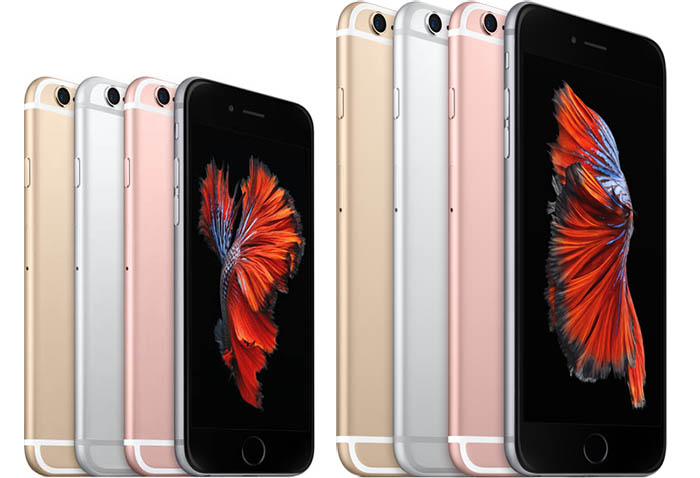

Some iPhone 6s Owners Seeing Their Phones Randomly Shut Off


Users on Reddit, the Apple support communities  and the 3uTools forums have experienced the issue. While 6s and 6s Plus users have seen the majority of incidents, some iPhone 6 users have also reported the issue, indicating that iOS 9 may the root of the problem. 

After the issue turns off the phone, the only way to turn the phone back on is to hold the power and home button down for 10 seconds, forcing the phone to restart. MacRumors' forum users have been organizing around the issue, creating a poll to see how many people are affected and gathering data (model number, OS and actions before shut down) to send to Apple's engineering team. 

Thus far, the data collected indicates that no specific action causes the shutdown. Additionally, iPhone 6s users and iOS 9.0.1 users appear to be the most affected by the bug. 


Source:MacRumor

Windows
Mac OS
iOS
Linux
3uTools
Win 64-bit For this device
V9.0 2025-11-11
Download
Win 32-bit For this device
V9.0 2025-11-11
Download
3uTools
Intel Chip How to Identify Chip Type
V9.0 2025-12-02
Download
Apple Chip
V9.0 2025-12-02
Download
How to Identify Chip Type
1.  Click the Apple icon in the top-left corner of the screen and select About This Mac.
2.  Check the Processor or Chip field to determine if it is "Intel" or "Apple".
Please use the 3uTools PC client to install the iOS client:
1、 Install either the Windows or Mac version of 3uTools on your computer
2、 Open the PC client and connect your device to the computer via USB cable
3、 After the connection is successful, wait for the computer to automatically install the mobile app for the device, or locate “Install Mobile App” on the computer and manually click to install.
3uTools
deb file
V3.01 2025-11-20
Download
rpm file
V3.01 2025-11-20
Download
Windows
Windows
iOS
iOS
Android
Android
TV
TV
3uAirPlayer
Win 64-bit For this device
V6.0.2 2025-11-19
Download
Win 32-bit For this device
V6.0.2 2025-11-19
Download
iOS Device Mirroring (No App Required)
1、 Install 3uAirPlayer on the Windows PC
2、 Open Control Center and select Screen Mirroring
3、 From the list, choose your PC to start mirroring
4、 Or connect your iOS device to the PC via USB to begin mirroring
Scan to get "3uAirPlayer" App
3uAirPlayer TV V1.0.18
2025-11-28
TV System Requirements: Android 7.0 or later
Download the TV installation package, copy it to a USB drive, insert it into your TV or set-top box, then select the file from the home screen to install.





