 NEWS
NEWS
Apple Doing Worldwide Overnight ‘Refresh’ On Older Apple Stores on May 16
 05/10/2017
 3331
3331
Apple is planning a worldwide overnight ‘refresh’ of its older retail stores on the night of May 16. We understand that this is specifically for older and smaller stores that aren’t suitable for the full redesign we’ve seen in flagship stores.
We got our first look at a whole new design for major Apple Stores back in 2015, when the Jony Ive design was shown to the press in Brussels, Belgium. Retail head Angela Ahrendts also showed off the new features ahead of the opening of San Francisco’s Union Square store. These include rows of trees with surrounding seating (the ‘Genius Grove’), a huge display screen and power sockets that rise out of the tables when you wave your hand …
Some stores can’t accommodate all of the new design features, so are instead being treated to a design refresh which has been described as a ‘halfway house’ between the original and new looks. While some behind-the-scenes work may begin earlier, the plan appears to be for the new look to be revealed when stores re-open on May 17.
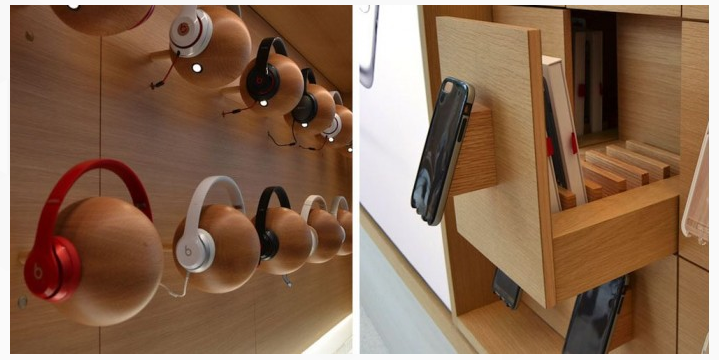
No specific details are available as yet, but it appears likely that the overall look will mirror the new design as far as possible in the space available. We’re expecting to see natural materials like granite and wood to have greater prominence in the new design, such as the touches seen above.
Angela Ahrendts last month talked about redefining the role of Apple Stores as ‘town squares’ where people meet to learn, engage and socialize. The company has ambitious plans, including a store within D.C.’s Carnegie Library and a major expansion and redesign of its 5th Avenue store in New York.
The company recently showed off motorized carbon fiber windows in its Dubai Mall store, and is working on the opening of a new Singapore store.
Source: 9to5mac









