
NEWS

Apple Announces 'AppleCare One' Subscription Plan for Multiple Devices

07/24/2025

978

Apple today announced AppleCare One, a new subscription plan for customers to cover multiple devices with a single plan.
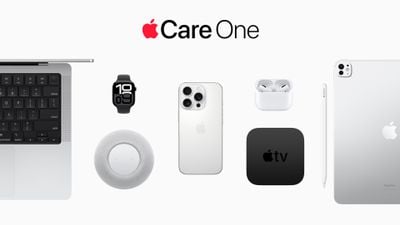
Apple Announces 'AppleCare One' Subscription Plan for Multiple Devices
AppleCare One starts at $19.99 per month for up to three products, with the ability to add more for $5.99 per month for each additional device. The plan incudes all of the benefits that come with AppleCare+, such as unlimited repairs for accidents, priority support, battery coverage, and more.

Subscribers can freely move their devices in and out of the plan at any time. AppleCare One also enables users to add products they already own that are up to four years old, providing they are in good condition, extending beyond the current 60-day window to purchase AppleCare+. When a customer trades in a covered product with Apple, it is automatically removed from their AppleCare One plan and replaced with the new device.

AppleCare One also expands theft and loss protection to the iPad and Apple Watch. Previously, it was only available for the iPhone.

AppleCare One's pricing is the same regardless of the products that are covered. Apple says that a customer who enrolls their iPhone, iPad, and Apple Watch could save up to $11 per month versus enrolling in separate AppleCare+ plans for each device.

Customers in the United States can sign up for AppleCare One starting tomorrow on their iPhone, iPad, or Mac, or by visiting an Apple Store.

Source: Macrumors

Windows
Mac OS
iOS
Linux
3uTools
Win 64-bit For this device
V9.0 2025-11-11
Download
Win 32-bit For this device
V9.0 2025-11-11
Download
3uTools
Intel Chip How to Identify Chip Type
V9.0 2025-12-02
Download
Apple Chip
V9.0 2025-12-02
Download
How to Identify Chip Type
1.  Click the Apple icon in the top-left corner of the screen and select About This Mac.
2.  Check the Processor or Chip field to determine if it is "Intel" or "Apple".
Please use the 3uTools PC client to install the iOS client:
1、 Install either the Windows or Mac version of 3uTools on your computer
2、 Open the PC client and connect your device to the computer via USB cable
3、 After the connection is successful, wait for the computer to automatically install the mobile app for the device, or locate “Install Mobile App” on the computer and manually click to install.
3uTools
deb file
V3.01 2025-11-20
Download
rpm file
V3.01 2025-11-20
Download
Windows
Windows
iOS
iOS
Android
Android
TV
TV
3uAirPlayer
Win 64-bit For this device
V6.0.2 2025-11-19
Download
Win 32-bit For this device
V6.0.2 2025-11-19
Download
iOS Device Mirroring (No App Required)
1、 Install 3uAirPlayer on the Windows PC
2、 Open Control Center and select Screen Mirroring
3、 From the list, choose your PC to start mirroring
4、 Or connect your iOS device to the PC via USB to begin mirroring
Scan to get "3uAirPlayer" App
3uAirPlayer TV V1.0.18
2025-11-28
TV System Requirements: Android 7.0 or later
Download the TV installation package, copy it to a USB drive, insert it into your TV or set-top box, then select the file from the home screen to install.





