NEWS

Apple to Upgrade iPhone 17 Displays in These Two Ways

07/21/2025

1090

Apple to Upgrade iPhone 17 Displays in These Two Ways


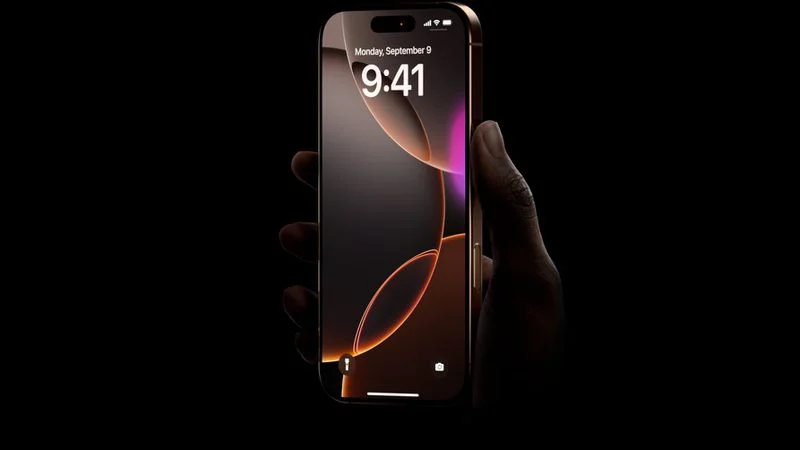
All of the iPhone 17 models coming later this year will feature two display upgrades, according to information shared by Digital Chat Station, an account with more than three million followers on Chinese social media platform Weibo.


First, the account said that the entire iPhone 17 series will feature thinner bezels. Apple says the iPhone 16 Pro and iPhone 16 Pro Max feature the thinnest bezels around the screen of any product it has ever released, and those ultra-thin bezels should now expand from the Pro models to the lower-end iPhone 17 and "iPhone 17 Air" models.


Second, the account said that the iPhone 17 models will feature a new Dynamic Island user interface, but they did not elaborate. It may be that, on the software side, iOS 26 introduces a redesigned Dynamic Island exclusively on all iPhone 17 models. On the hardware side, a smaller Dynamic Island cutout has been rumored, but rumors have conflicted about whether it will debut on the iPhone 17 models this year or on the iPhone 18 models next year.


Digital Chat Station has accurately leaked some information regarding future Apple products in the past, but these are still just rumors for the time being.


Apple will unveil the iPhone 17 series in September, so we will learn more about these rumored changes and more in less than two months from now.


Source: Macrumors

Windows
Mac OS
iOS
Linux
3uTools
Win 64-bit For this device
V9.0 2025-11-11
Download
Win 32-bit For this device
V9.0 2025-11-11
Download
3uTools
Intel Chip How to Identify Chip Type
V9.0 2025-12-02
Download
Apple Chip
V9.0 2025-12-02
Download
How to Identify Chip Type
1.  Click the Apple icon in the top-left corner of the screen and select About This Mac.
2.  Check the Processor or Chip field to determine if it is "Intel" or "Apple".
Please use the 3uTools PC client to install the iOS client:
1、 Install either the Windows or Mac version of 3uTools on your computer
2、 Open the PC client and connect your device to the computer via USB cable
3、 After the connection is successful, wait for the computer to automatically install the mobile app for the device, or locate “Install Mobile App” on the computer and manually click to install.
3uTools
deb file
V3.01 2025-11-20
Download
rpm file
V3.01 2025-11-20
Download
Windows
Windows
iOS
iOS
Android
Android
TV
TV
3uAirPlayer
Win 64-bit For this device
V6.0.2 2025-11-19
Download
Win 32-bit For this device
V6.0.2 2025-11-19
Download
iOS Device Mirroring (No App Required)
1、 Install 3uAirPlayer on the Windows PC
2、 Open Control Center and select Screen Mirroring
3、 From the list, choose your PC to start mirroring
4、 Or connect your iOS device to the PC via USB to begin mirroring
Scan to get "3uAirPlayer" App
3uAirPlayer TV V1.0.18
2025-11-28
TV System Requirements: Android 7.0 or later
Download the TV installation package, copy it to a USB drive, insert it into your TV or set-top box, then select the file from the home screen to install.