NEWS

Could Apple Return to the Wi-Fi Router Market?

07/14/2025

762

Could Apple Return to the Wi-Fi Router Market?


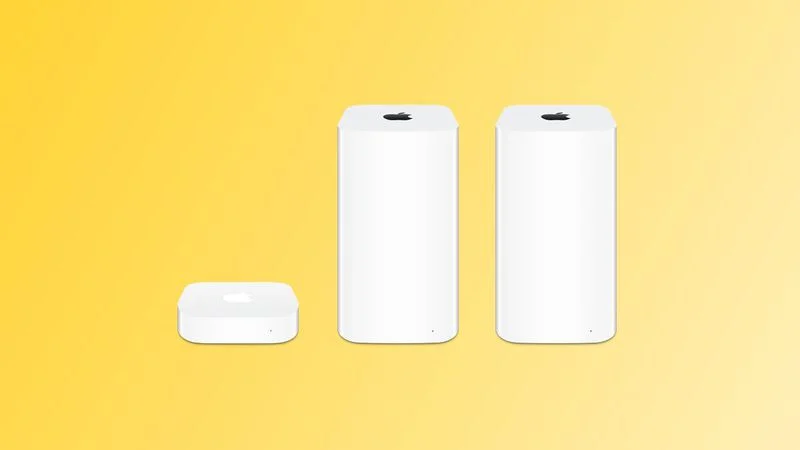
In the 2000s and 2010s, Apple sold a series of Wi-Fi routers under the AirPort brand, including the AirPort Express, the more advanced AirPort Extreme, and the AirPort Time Capsule, which doubled as a backup drive for Macs.


Though Apple discontinued the AirPort line in 2018, it recently added more models to its obsolete products list—sparking renewed speculation about a potential comeback.


The latest rumors point to a new direction. According to Bloomberg’s Mark Gurman, Apple is working on its own Wi-Fi and Bluetooth chip, set to debut in updated Apple TV and HomePod mini models later this year. Gurman says the chip is advanced enough that these devices could theoretically function as wireless access points—though Apple hasn’t confirmed such plans.


The chip is expected to support Wi-Fi 6E, possibly even Wi-Fi 7, per analyst Jeff Pu. Whether this means a full return to the router business is unclear—but Apple is clearly developing the tech that could make it possible.


 

Windows
Mac OS
iOS
Linux
3uTools
Win 64-bit For this device
V9.0 2025-11-11
Download
Win 32-bit For this device
V9.0 2025-11-11
Download
3uTools
Intel Chip How to Identify Chip Type
V9.0 2025-12-02
Download
Apple Silicon
V9.0 2025-12-02
Download
How to Identify Chip Type
1.  Click the Apple icon in the top-left corner of the screen and select About This Mac.
2.  Check the Processor or Chip field to determine if it is "Intel" or "Apple".
Please use the 3uTools PC client to install the iOS client:
1、 Install either the Windows or Mac version of 3uTools on your computer
2、 Open the PC client and connect your device to the computer via USB cable
3、 After the connection is successful, wait for the computer to automatically install the mobile app for the device, or locate “Install Mobile App” on the computer and manually click to install.
3uTools
deb file
V3.01 2025-11-20
Download
rpm file
V3.01 2025-11-20
Download
Windows
Windows
iOS
iOS
Android
Android
TV
TV
3uAirPlayer
Win 64-bit For this device
V6.0.2 2025-11-19
Download
Win 32-bit For this device
V6.0.2 2025-11-19
Download
iOS Device Mirroring (No App Required)
1、 Install 3uAirPlayer on the Windows PC
2、 Open Control Center and select Screen Mirroring
3、 From the list, choose your PC to start mirroring
4、 Or connect your iOS device to the PC via USB to begin mirroring
Scan to get "3uAirPlayer" App
3uAirPlayer TV V1.0.18
2025-11-28
TV System Requirements: Android 7.0 or later
Download the TV installation package, copy it to a USB drive, insert it into your TV or set-top box, then select the file from the home screen to install.