 NEWS
NEWS
Apple Still Exploring Smart Glasses Similar to Meta's Ray-Bans
 03/11/2025
 1111
1111
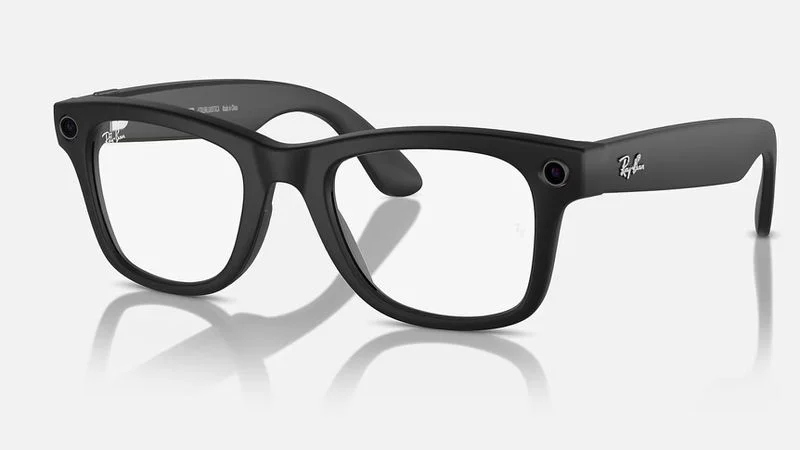
Apple is still discussing the possibility of making smart glasses similar to Meta's popular Ray-Ban glasses, according to Bloomberg's Mark Gurman.
Writing in his latest Power On newsletter, Gurman says that such a product wouldn't be a proper augmented reality device like Apple Vision Pro, but it would include AI, microphones, and cameras to create a "pretty good user experience."
"If Apple can bring its design prowess, offer AirPods-level audio quality and tightly integrate the glasses with the iPhone, I think the company would have a smash hit," reckons Gurman. "It's mind-boggling that Apple hasn't gotten there yet."
Apple initially wanted to create smart glasses that looked like regular glasses and had augmented reality capabilities, but Apple stopped development on the project earlier this year. Originally, Apple wanted the glasses to connect to the iPhone, but the iPhone didn't have the power or battery life to support them. Apple then transitioned to using the Mac as a power source, but Apple executives weren't convinced a Mac-connected device was a good solution, leading to the shutdown of the project.
Gurman has previously reported that Apple is conducting user studies at its offices to gauge the appeal of features and interfaces, and that the company is working on a version of visionOS that will run on glasses. Codenamed "Atlas," the studies are being led by Apple's Product Systems Quality team, part of the hardware engineering division.
Apple's rationale seems to be that creating smart glasses could provide a stepping stone to developing true AR glasses, aka Apple Glass. There have been rumors about Apple's work on AR glasses for almost 10 years now, and the Vision Pro headset is what Apple built because the technology doesn't yet exist for the kind of augmented reality glasses that Apple is aiming for.
Meanwhile, Apple is still "actively developing" a product that would combine AirPods with cameras, according to Gurman. The cameras would help power AI features by gathering information on the surrounding environment, similar to the Visual Intelligence feature on supporting iPhone models.
Source: Macrumors









