
NEWS

Supply Chain Forming for 2025 HomePod with LCD Display

01/20/2025

846

The supply chain for Apple's upcoming HomePod or smart home "Command Center" with an LCD display is increasingly visible as launch approaches, DigiTimes reports.
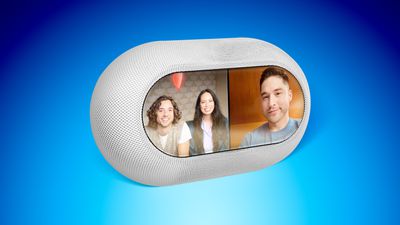
Supply Chain Forming for 2025 HomePod with LCD Display
The paywalled report claims that the device's 7-inch LCD panel will be exclusively supplied by Tianma Microelectronics in China, corroborating other reports dating back to early 2023.

The display panels are believed to cost just $10 each, undercutting other suppliers. Tianma doesn't currently make any displays for existing Apple products, with the company usually opting for the likes of Samsung Display, LG Display, and BOE.

DigiTimes adds that Taiwan's Radiant Optoelectronics will handle backlight module production, while China's BYD will be the sole assembly partner.

The device was originally rumored launch in early 2024, but faced repeated delays, initially to late 2024. Supply chain sources claim that Apple issued a shipment schedule targeting a launch in March 2025, but this timeline may have now slipped to the second half of 2025.

Source: Macrumors

Windows
Mac OS
iOS
Linux
3uTools
Win 64-bit For this device
V9.0 2025-11-11
Download
Win 32-bit For this device
V9.0 2025-11-11
Download
3uTools
Intel Chip How to Identify Chip Type
V9.0 2025-12-02
Download
Apple Silicon
V9.0 2025-12-02
Download
How to Identify Chip Type
1.  Click the Apple icon in the top-left corner of the screen and select About This Mac.
2.  Check the Processor or Chip field to determine if it is "Intel" or "Apple".
Please use the 3uTools PC client to install the iOS client:
1、 Install either the Windows or Mac version of 3uTools on your computer
2、 Open the PC client and connect your device to the computer via USB cable
3、 After the connection is successful, wait for the computer to automatically install the mobile app for the device, or locate “Install Mobile App” on the computer and manually click to install.
3uTools
deb file
V3.01 2025-11-20
Download
rpm file
V3.01 2025-11-20
Download
Windows
Windows
iOS
iOS
Android
Android
TV
TV
3uAirPlayer
Win 64-bit For this device
V6.0.2 2025-11-19
Download
Win 32-bit For this device
V6.0.2 2025-11-19
Download
iOS Device Mirroring (No App Required)
1、 Install 3uAirPlayer on the Windows PC
2、 Open Control Center and select Screen Mirroring
3、 From the list, choose your PC to start mirroring
4、 Or connect your iOS device to the PC via USB to begin mirroring
Scan to get "3uAirPlayer" App
3uAirPlayer TV V1.0.18
2025-11-28
TV System Requirements: Android 7.0 or later
Download the TV installation package, copy it to a USB drive, insert it into your TV or set-top box, then select the file from the home screen to install.




