NEWS

Apple Rumored to Launch Smart Home Doorbell With Face ID and More

12/23/2024

772

Apple Rumored to Launch Smart Home Doorbell With Face ID and More


Apple is in the early stages of developing a smart home doorbell and lock system with Face ID, according to Bloomberg's Mark Gurman.


In his Power On newsletter today, Gurman said the doorbell would wirelessly connect to a compatible deadbolt lock, allowing users to automatically unlock a door with Face ID. The doorbell would likely work with third-party HomeKit locks, but Apple could also partner with another brand to offer an all-in-one solution, he said.


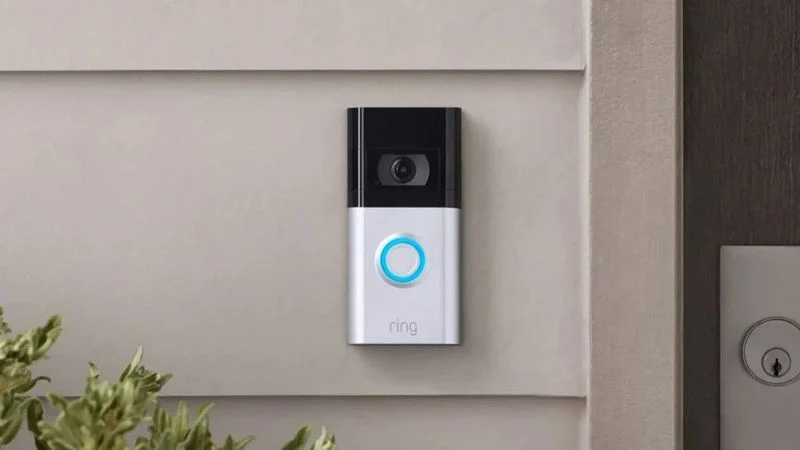
Apple's doorbell would compete with Amazon's line of Ring doorbells, but Gurman did not say if Apple's solution would capture video.


Apple would almost certainly tout the privacy and security benefits of its own smart home doorbell. If the product is ever released, Gurman expects that it will be equipped with Apple's rumored Wi-Fi chip, which is said to have a Secure Enclave to protect user data. And if the doorbell does end up offering video capture, Apple already has a HomeKit Secure Video service with end-to-end encryption for storing footage in iCloud.


Gurman believes Apple's doorbell is unlikely to launch until 2026 at the earliest.


Apple seemingly has plans to make a bigger push into the smart home space over the next few years. In addition to this doorbell, the company is expected to launch a smart home hub next year, and it is also rumored to be planning its own HomeKit-enabled indoor security camera that would compete with products like Logitech's Circle View.


Source: Macrumors

Windows
Mac OS
iOS
Linux
3uTools
Win 64-bit For this device
V9.0 2025-11-11
Download
Win 32-bit For this device
V9.0 2025-11-11
Download
3uTools
Intel Chip How to Identify Chip Type
V9.0 2025-12-02
Download
Apple Silicon
V9.0 2025-12-02
Download
How to Identify Chip Type
1.  Click the Apple icon in the top-left corner of the screen and select About This Mac.
2.  Check the Processor or Chip field to determine if it is "Intel" or "Apple".
Please use the 3uTools PC client to install the iOS client:
1、 Install either the Windows or Mac version of 3uTools on your computer
2、 Open the PC client and connect your device to the computer via USB cable
3、 After the connection is successful, wait for the computer to automatically install the mobile app for the device, or locate “Install Mobile App” on the computer and manually click to install.
3uTools
deb file
V3.01 2025-11-20
Download
rpm file
V3.01 2025-11-20
Download
Windows
Windows
iOS
iOS
Android
Android
TV
TV
3uAirPlayer
Win 64-bit For this device
V6.0.2 2025-11-19
Download
Win 32-bit For this device
V6.0.2 2025-11-19
Download
iOS Device Mirroring (No App Required)
1、 Install 3uAirPlayer on the Windows PC
2、 Open Control Center and select Screen Mirroring
3、 From the list, choose your PC to start mirroring
4、 Or connect your iOS device to the PC via USB to begin mirroring
Scan to get "3uAirPlayer" App
3uAirPlayer TV V1.0.18
2025-11-28
TV System Requirements: Android 7.0 or later
Download the TV installation package, copy it to a USB drive, insert it into your TV or set-top box, then select the file from the home screen to install.