 NEWS
NEWS
ChatGPT for iOS Adds New Shortcut for Using SearchGPT
 11/27/2024
 1099
1099
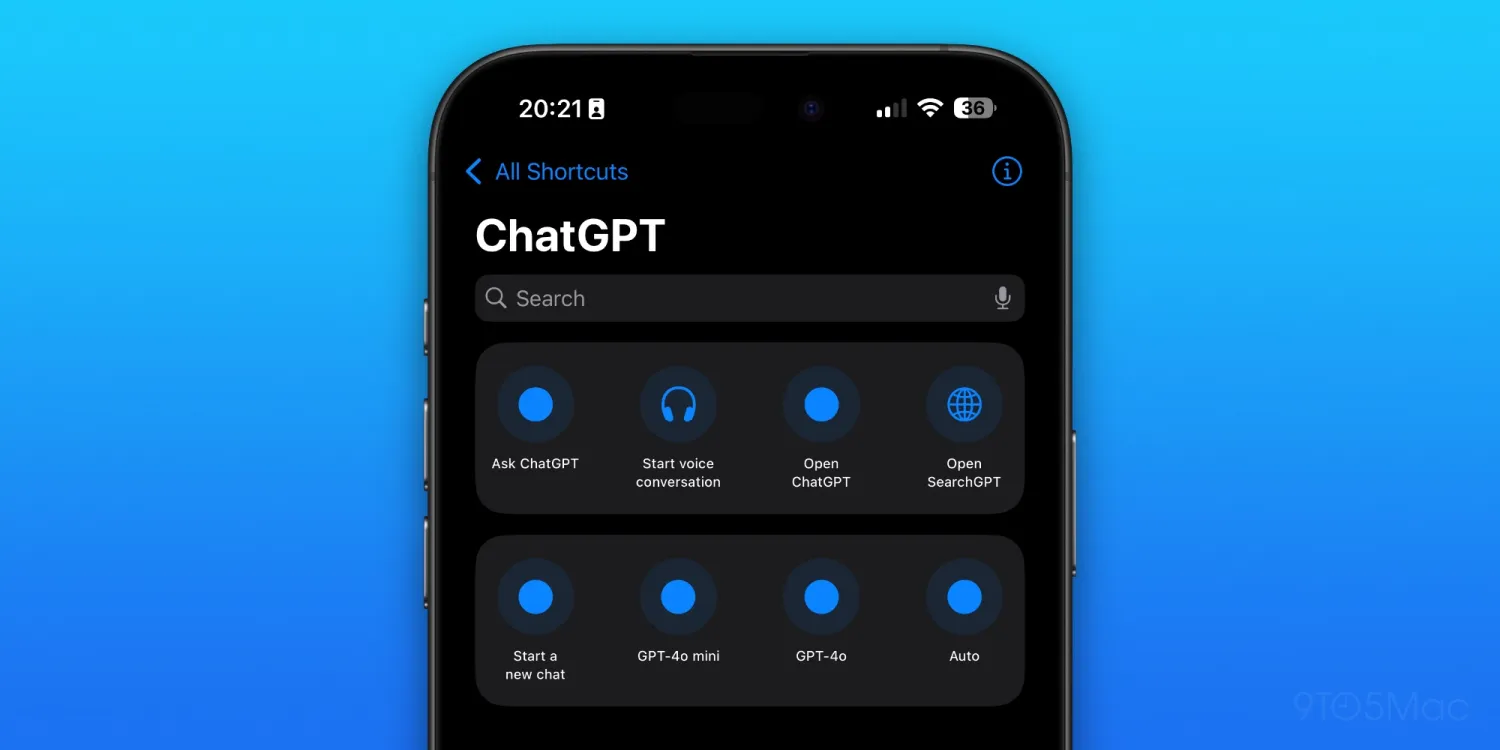
As we reported last month, OpenAI has finally launched SearchGPT, which is essentially a search engine developed by OpenAI that uses artificial intelligence to find and combine the best results from the web. And with the latest ChatGPT update for iOS, it’s now easier to use SearchGPT.
ChatGPT app adds SearchGPT extension to Apple Shortcuts
The latest version of the app for iPhone and iPad adds a new Apple Shortcuts integration, which lets users create shortcuts to open SearchGPT. With this shortcut, you can open a new conversation in the ChatGPT app with SearchGPT enabled. It’s worth noting that shortcuts can be added to the Home Screen or even triggered by Siri.
While ChatGPT has always sort of been used as a search engine by some, OpenAI has made specific upgrades that provide the sort of features we’ve all come to expect from search providers like Google and Bing. Here’s how OpenAI explains it:
- ChatGPT can now search the web in a much better way than before. You can get fast, timely answers with links to relevant web sources, which you would have previously needed to go to a search engine for. This blends the benefits of a natural language interface with the value of up-to-date sports scores, news, stock quotes, and more.
- ChatGPT will choose to search the web based on what you ask, or you can manually choose to search by clicking the web search icon.
OpenAI has partnered with news and data providers so it can provide real-time information, and package it in new dedicated designs for specific content types.
With iOS 18.2, which will be released to iPhone and iPad users in December, Apple is adding ChatGPT integration to Siri. The update will let users interact with the OpenAI chatbot directly from the Siri interface, and the same applies to Writing Tools. Paid ChatGPT users can also benefit from the extra features by logging into their account in the iOS Settings app.
As for the new shortcut, it’s available with the latest version of the ChatGPT app that you can download from the App Store. It’s worth noting that SearchGPT is currently exclusive to ChatGPT Plus and Team subscribers.
Source: 9to5mac









