
NEWS

Kuo: Apple Delays Change Aimed at Saving Space Inside Future iPhones

07/18/2024

1026

Apple no longer plans to use resin-coated copper for logic boards in iPhone 17 models next year, supply chain analyst Ming-Chi Kuo said today.
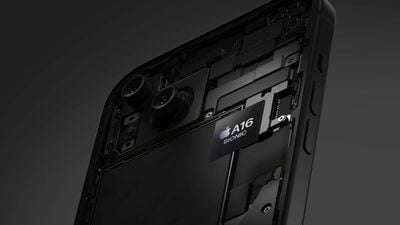
Kuo: Apple Delays Change Aimed at Saving Space Inside Future iPhones
Kuo said resin-coated copper failed to meet Apple's "high-quality requirements," leading to the company scrapping its plans to adopt the material for iPhone 17 models. It is unclear if Apple will revisit resin-coated copper for iPhone 18 models or later, but it appears that the material is at least a few years away from being used in iPhones.

Resin-coated copper is a thin layer of copper foil coated with a resin, such as an epoxy. The material would allow for a thinner logic board, which in turn would provide more internal space for other components and sensors in future iPhones.

It was also rumored that at least one new Apple Watch would use resin-coated copper this year, but it is unclear if that plan has been delayed too.

Source: Macrumors

Windows
Mac OS
iOS
Linux
3uTools
Win 64-bit For this device
V9.0 2025-11-11
Download
Win 32-bit For this device
V9.0 2025-11-11
Download
3uTools
Intel Chip How to Identify Chip Type
V9.0 2025-12-02
Download
Apple Silicon
V9.0 2025-12-02
Download
How to Identify Chip Type
1.  Click the Apple icon in the top-left corner of the screen and select About This Mac.
2.  Check the Processor or Chip field to determine if it is "Intel" or "Apple".
Please use the 3uTools PC client to install the iOS client:
1、 Install either the Windows or Mac version of 3uTools on your computer
2、 Open the PC client and connect your device to the computer via USB cable
3、 After the connection is successful, wait for the computer to automatically install the mobile app for the device, or locate “Install Mobile App” on the computer and manually click to install.
3uTools
deb file
V3.01 2025-11-20
Download
rpm file
V3.01 2025-11-20
Download
Windows
Windows
iOS
iOS
Android
Android
TV
TV
3uAirPlayer
Win 64-bit For this device
V6.0.2 2025-11-19
Download
Win 32-bit For this device
V6.0.2 2025-11-19
Download
iOS Device Mirroring (No App Required)
1、 Install 3uAirPlayer on the Windows PC
2、 Open Control Center and select Screen Mirroring
3、 From the list, choose your PC to start mirroring
4、 Or connect your iOS device to the PC via USB to begin mirroring
Scan to get "3uAirPlayer" App
3uAirPlayer TV V1.0.18
2025-11-28
TV System Requirements: Android 7.0 or later
Download the TV installation package, copy it to a USB drive, insert it into your TV or set-top box, then select the file from the home screen to install.




