
NEWS

Apple Event This Week Expected to Last 'About 35 Minutes'

05/06/2024

1010

Apple will be holding its first event of the year this Tuesday, May 7 at 7 a.m. Pacific Time, with a live stream to be available on Apple.com and on YouTube.
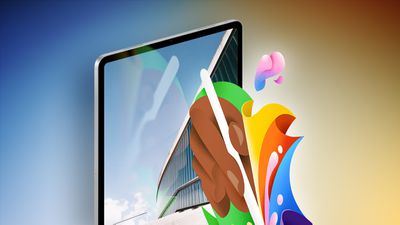
 

Apple Event This Week Expected to Last 'About 35 Minutes'
How long will the event be? In his newsletter today, Bloomberg's Mark Gurman said the video will have a runtime of "around 35 minutes."


Apple is expected to announce new iPad Pro and iPad Air models, along with updated Apple Pencil and Magic Keyboard accessories.


Here are the latest rumors:

  • Two new iPad Pro models with the M4 chip, OLED displays, a thinner enclosure, thinner bezels, a matte screen option, a landscape-oriented front camera, other design changes, and possibly MagSafe wireless charging.
  • Two new iPad Air models with the M2 chip and a landscape-oriented front camera, including a first-ever 12.9-inch iPad Air.
  • A new Magic Keyboard for the iPad Pro with an aluminum enclosure, larger trackpad, and other design tweaks.
  • A new Apple Pencil with haptic feedback and a "squeeze" gesture for certain actions. Vision Pro support is also possible, but might come with visionOS 2.


The event is taking place just over a month before Apple's annual developers conference WWDC, which runs from June 10 through June 14.


Source: Macrumors

Windows
Mac OS
iOS
Linux
3uTools
Win 64-bit For this device
V9.0 2025-11-11
Download
Win 32-bit For this device
V9.0 2025-11-11
Download
3uTools
Intel Chip How to Identify Chip Type
V9.0 2025-12-02
Download
Apple Silicon
V9.0 2025-12-02
Download
How to Identify Chip Type
1.  Click the Apple icon in the top-left corner of the screen and select About This Mac.
2.  Check the Processor or Chip field to determine if it is "Intel" or "Apple".
Please use the 3uTools PC client to install the iOS client:
1、 Install either the Windows or Mac version of 3uTools on your computer
2、 Open the PC client and connect your device to the computer via USB cable
3、 After the connection is successful, wait for the computer to automatically install the mobile app for the device, or locate “Install Mobile App” on the computer and manually click to install.
3uTools
deb file
V3.01 2025-11-20
Download
rpm file
V3.01 2025-11-20
Download
Windows
Windows
iOS
iOS
Android
Android
TV
TV
3uAirPlayer
Win 64-bit For this device
V6.0.2 2025-11-19
Download
Win 32-bit For this device
V6.0.2 2025-11-19
Download
iOS Device Mirroring (No App Required)
1、 Install 3uAirPlayer on the Windows PC
2、 Open Control Center and select Screen Mirroring
3、 From the list, choose your PC to start mirroring
4、 Or connect your iOS device to the PC via USB to begin mirroring
Scan to get "3uAirPlayer" App
3uAirPlayer TV V1.0.18
2025-11-28
TV System Requirements: Android 7.0 or later
Download the TV installation package, copy it to a USB drive, insert it into your TV or set-top box, then select the file from the home screen to install.




