NEWS

Apple Music is The Second Most Used Music Streaming Service Globally, Spotify Remains in Top Spot

01/20/2022

1969

Apple Music is The Second Most Used Music Streaming Service Globally, Spotify Remains in Top Spot


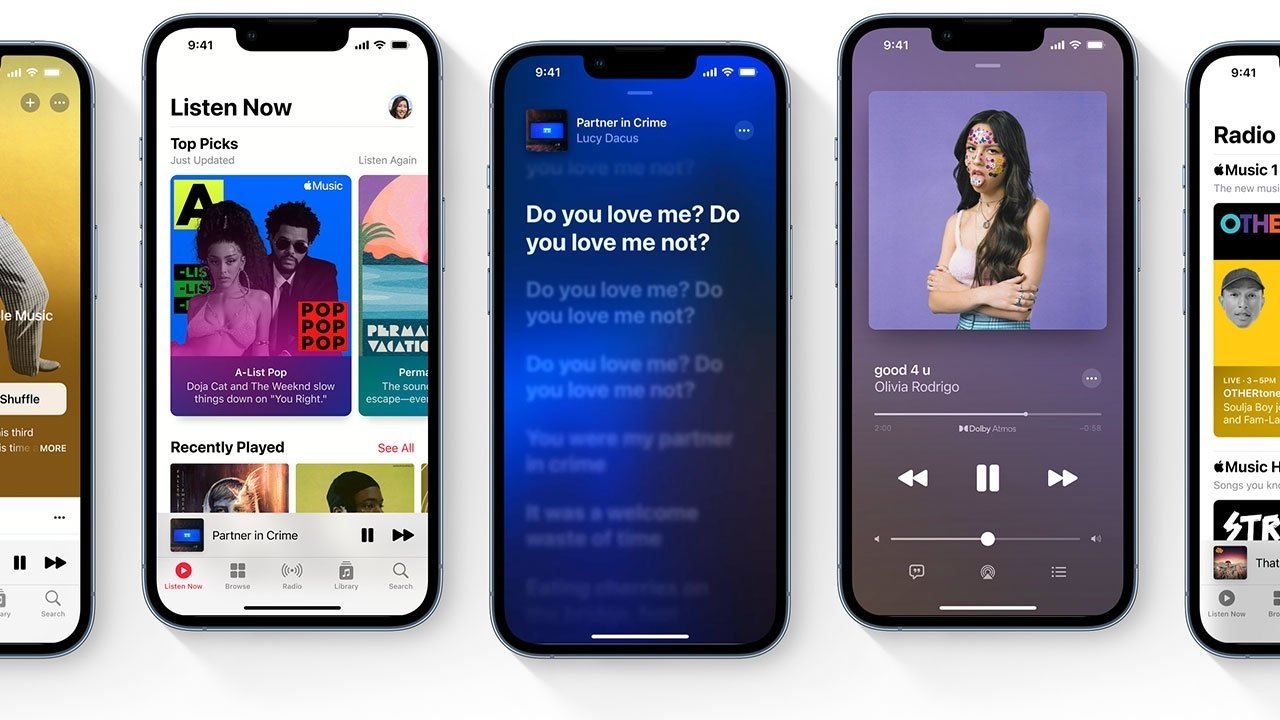
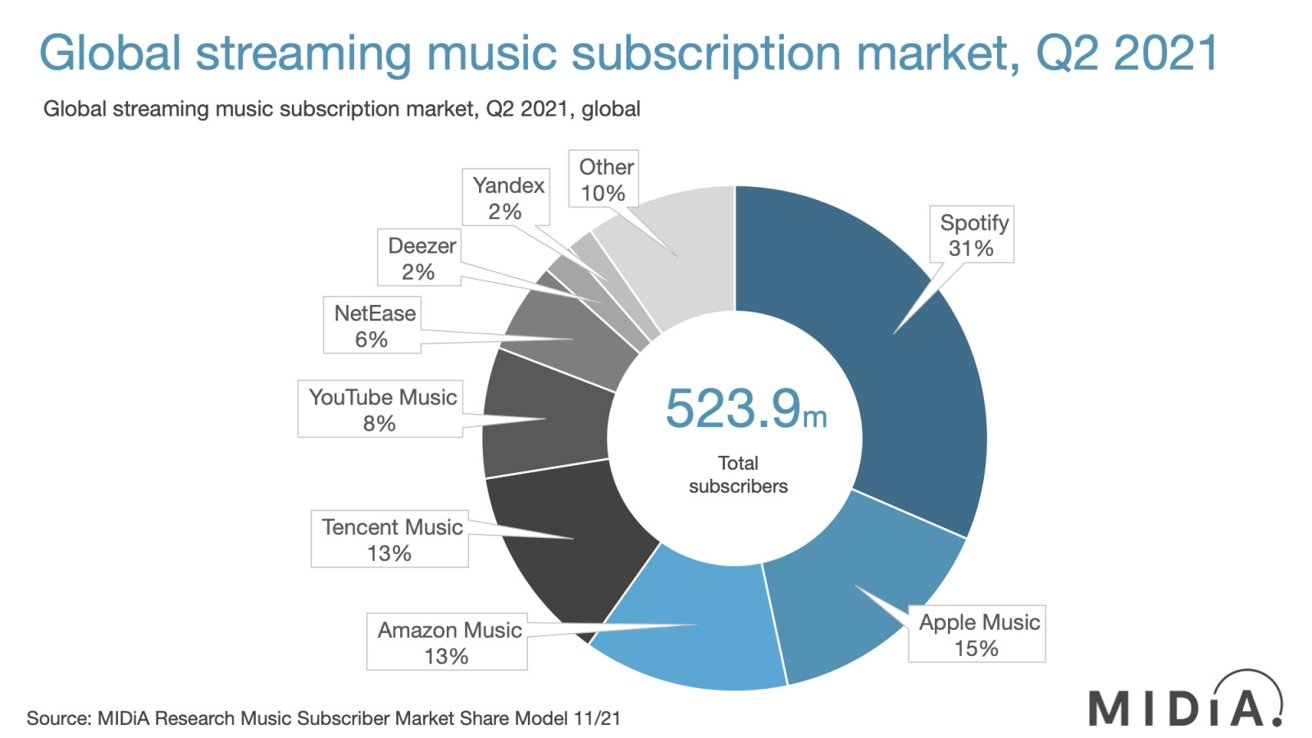
New research shows that Apple Music accounts for 15% of the global music streaming market, still falling behind streaming giant Spotify, which holds more than 30%.


Apple Music is the second-most widely used music streaming service, according to new research by MIDiA. The Cupertino-based tech giant caters to 15% of the nearly 524 million global listeners.


Spotify remains in the top spot with a 31% share in 2021, though the streaming service is down from 33% in 2020. Amazon Music and Tencent Music each take a 13% market share, while YouTube Music accounts for 8% of global subscriptions.


The report, initially spotted by 9to5Mac, points out that the global base has grown by 109.5 million by the end of Q2 2021, or roughly over 26% year-over-year.

Apple Music is The Second Most Used Music Streaming Service Globally, Spotify Remains in Top Spot


Global streaming is up, largely spurred by COVID-19 boredom. In 2020, on-demand audio streaming services like Apple Music and Spotify saw growth of 16.2% globally over 2019.


Source: Appleinsider

Windows
Mac OS
iOS
Linux
3uTools
Win 64-bit For this device
V9.0 2025-11-11
Download
Win 32-bit For this device
V9.0 2025-11-11
Download
3uTools
Intel Chip How to Identify Chip Type
V9.0 2025-12-02
Download
Apple Chip
V9.0 2025-12-02
Download
How to Identify Chip Type
1.  Click the Apple icon in the top-left corner of the screen and select About This Mac.
2.  Check the Processor or Chip field to determine if it is "Intel" or "Apple".
Please use the 3uTools PC client to install the iOS client:
1、 Install either the Windows or Mac version of 3uTools on your computer
2、 Open the PC client and connect your device to the computer via USB cable
3、 After the connection is successful, wait for the computer to automatically install the mobile app for the device, or locate “Install Mobile App” on the computer and manually click to install.
3uTools
deb file
V3.01 2025-11-20
Download
rpm file
V3.01 2025-11-20
Download
Windows
Windows
iOS
iOS
Android
Android
TV
TV
3uAirPlayer
Win 64-bit For this device
V6.0.2 2025-11-19
Download
Win 32-bit For this device
V6.0.2 2025-11-19
Download
iOS Device Mirroring (No App Required)
1、 Install 3uAirPlayer on the Windows PC
2、 Open Control Center and select Screen Mirroring
3、 From the list, choose your PC to start mirroring
4、 Or connect your iOS device to the PC via USB to begin mirroring
Scan to get "3uAirPlayer" App
3uAirPlayer TV V1.0.18
2025-11-28
TV System Requirements: Android 7.0 or later
Download the TV installation package, copy it to a USB drive, insert it into your TV or set-top box, then select the file from the home screen to install.