NEWS

Apple's Colorful iPhone 13 Cases Surface One Day Before Launch

09/14/2021

1761

Apple's Colorful iPhone 13 Cases Surface One Day Before Launch


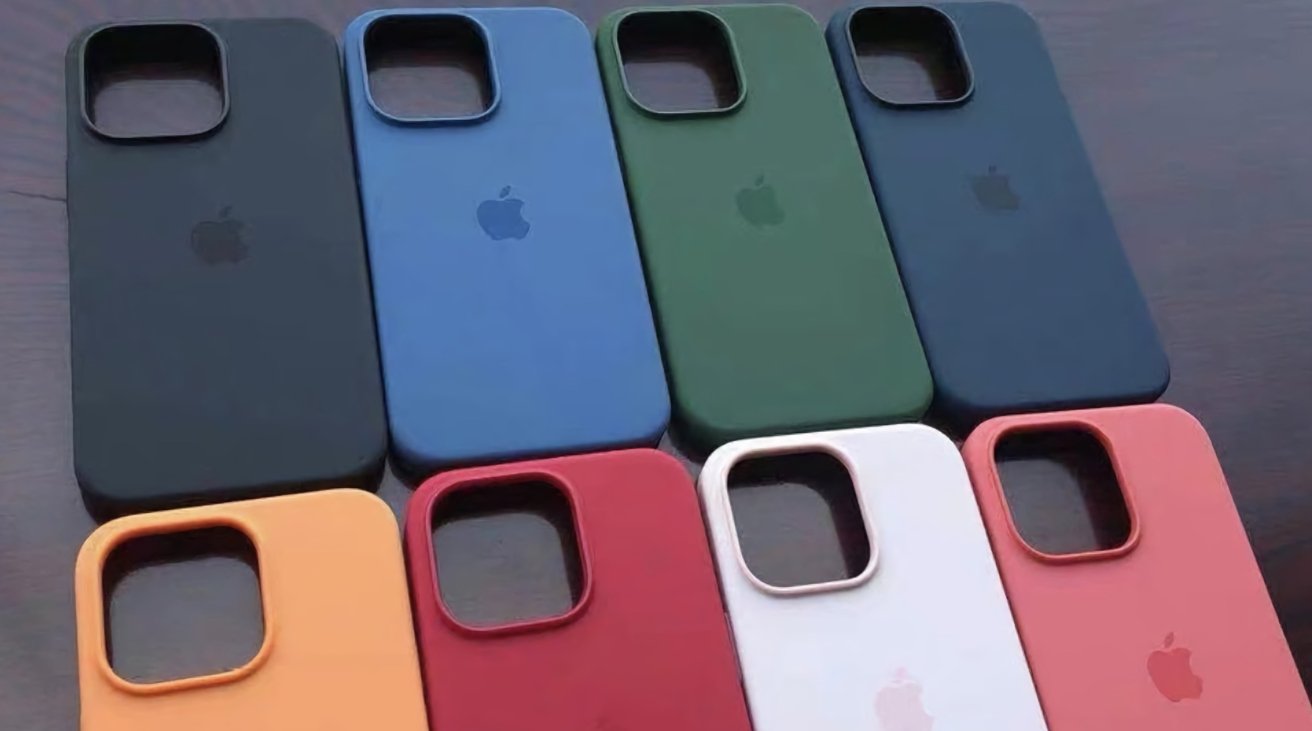
Apple will seemingly introduce cases in at least eight different colors, according to a leaker, with photographs showing the variety of silicone cases that will be arriving alongside the "iPhone 13."


Apple is anticipated to launch the "iPhone 13" lineup during its "California Streaming" special event on Tuesday, among other product introductions. Along with a new smartphone, Apple is also expected to bring out accessories to match.


In images posted to Twitter by leaker "Majin Bu," a collection of eight cases for the "iPhone 13" lineup are on display. The cases all look to be silicone in construction, with identical appearances and square camera bumps.


iPhone 13 Case Lineup Colors #Apple #iPhone13 pic.twitter.com/jXrRqLhUmd

— Majin Bu (@MajinBuOfficial) September 12, 2021

Eight different colors are shown, including two shades of blue, a possible graphite case, red, yellow, pink, green, and an off-white case.


As Apple typically mentions that there are accessories to go alongside its iPhone launches at the time of launch, it is quite likely that the leaked cases will make some form of appearance during the event.


This isn't the only accessories leak to have surfaced for the 2021 iPhone launch. On September 5, a video was briefly posted to Twitter showing a pile of "iPhone 13 Pro Max" silicone cases in one dark color, with the packaging mentioning they had MagSafe support.


Source: Appleinsider

Windows
Mac OS
iOS
Linux
3uTools
Win 64-bit For this device
V9.0 2025-11-11
Download
Win 32-bit For this device
V9.0 2025-11-11
Download
3uTools
Intel Chip How to Identify Chip Type
V9.0 2025-12-02
Download
Apple Chip
V9.0 2025-12-02
Download
How to Identify Chip Type
1.  Click the Apple icon in the top-left corner of the screen and select About This Mac.
2.  Check the Processor or Chip field to determine if it is "Intel" or "Apple".
Please use the 3uTools PC client to install the iOS client:
1、 Install either the Windows or Mac version of 3uTools on your computer
2、 Open the PC client and connect your device to the computer via USB cable
3、 After the connection is successful, wait for the computer to automatically install the mobile app for the device, or locate “Install Mobile App” on the computer and manually click to install.
3uTools
deb file
V3.01 2025-11-20
Download
rpm file
V3.01 2025-11-20
Download
Windows
Windows
iOS
iOS
Android
Android
TV
TV
3uAirPlayer
Win 64-bit For this device
V6.0.2 2025-11-19
Download
Win 32-bit For this device
V6.0.2 2025-11-19
Download
iOS Device Mirroring (No App Required)
1、 Install 3uAirPlayer on the Windows PC
2、 Open Control Center and select Screen Mirroring
3、 From the list, choose your PC to start mirroring
4、 Or connect your iOS device to the PC via USB to begin mirroring
Scan to get "3uAirPlayer" App
3uAirPlayer TV V1.0.18
2025-11-28
TV System Requirements: Android 7.0 or later
Download the TV installation package, copy it to a USB drive, insert it into your TV or set-top box, then select the file from the home screen to install.