NEWS

Apple Pencil Features Expand to New Languages in iPadOS 14

07/07/2021

1985

Apple Pencil Features Expand to New Languages in iPadOS 14


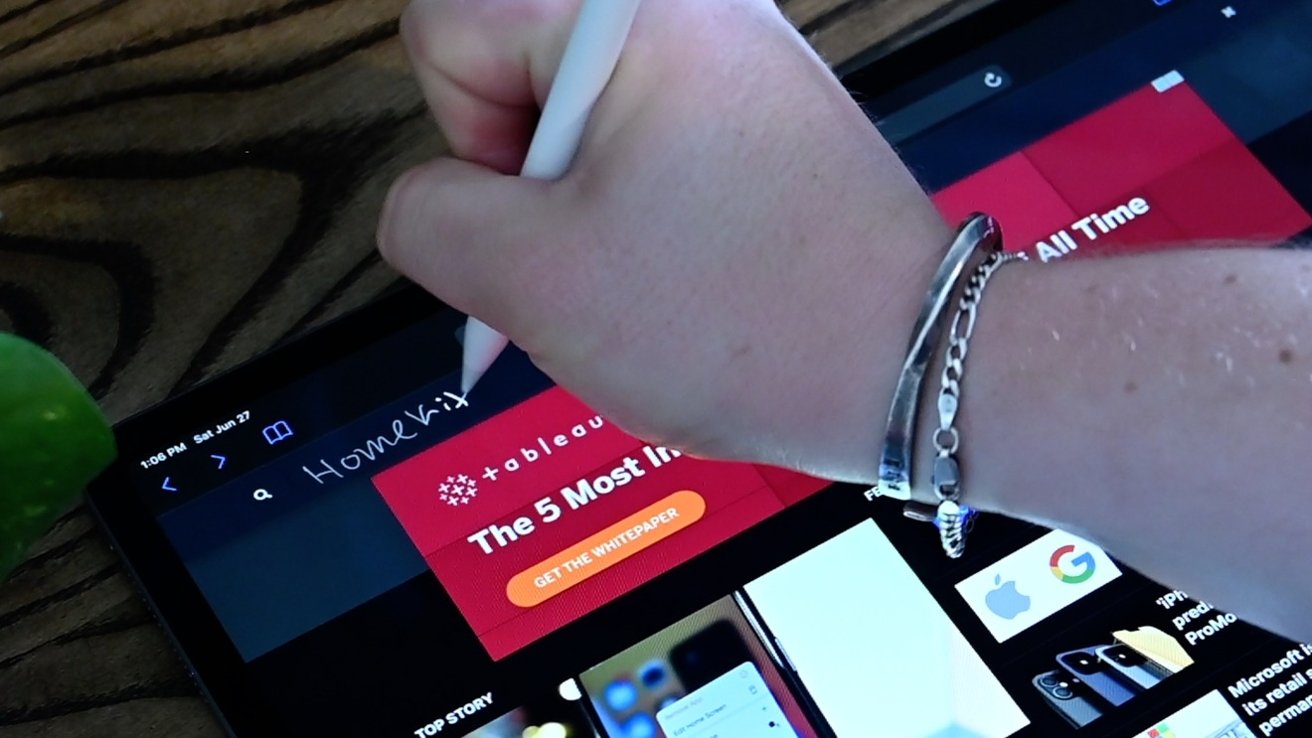
Apple this week announced upgrades to iPadOS 14 that make key Apple Pencil features like converting handwriting to text and Data Detectors compatible with five new languages.


Quietly announced through Apple's iOS and iPadOS Feature Availability webpage, Apple Pencil features Copy Handwriting as Text and Data Detectors are now accessible in French, German, Italian, Portuguese, and Spanish. Previously, the two technologies were limited to English and Chinese.


Copy Handwriting as Text enables users to select handwritten text, copy it and paste in another field as typed text. The feature is similar to Scribble, which allows users to fill out text fields with Apple Pencil by converting handwriting into text on the fly.


With Data Detectors, iPadOS recognizes information like phone numbers and addresses in handwritten text, providing users a handy option to transport those details to other apps like Contacts, Maps or Messages.


The Apple Pencil features are now available in French (Belgium), French (Canada), French (Switzerland), French (France), German (Austria), German (Germany), German (Switzerland). Italian (Switzerland), Italian (Italy), Portuguese (Portugal), Portuguese (Brazil), Spanish (Spain), Spanish (Latin America) and Spanish (Mexico).


MacRumors spotted the iPadOS 14 change earlier today.


Apple most recently expanded Apple Pencil functionality in February, when the same five languages received support for Scribble.


Source: Appleinsider

Windows
Mac OS
iOS
Linux
3uTools
Win 64-bit For this device
V9.0 2025-11-11
Download
Win 32-bit For this device
V9.0 2025-11-11
Download
3uTools
Intel Chip How to Identify Chip Type
V9.0 2025-12-02
Download
Apple Chip
V9.0 2025-12-02
Download
How to Identify Chip Type
1.  Click the Apple icon in the top-left corner of the screen and select About This Mac.
2.  Check the Processor or Chip field to determine if it is "Intel" or "Apple".
Please use the 3uTools PC client to install the iOS client:
1、 Install either the Windows or Mac version of 3uTools on your computer
2、 Open the PC client and connect your device to the computer via USB cable
3、 After the connection is successful, wait for the computer to automatically install the mobile app for the device, or locate “Install Mobile App” on the computer and manually click to install.
3uTools
deb file
V3.01 2025-11-20
Download
rpm file
V3.01 2025-11-20
Download
Windows
Windows
iOS
iOS
Android
Android
TV
TV
3uAirPlayer
Win 64-bit For this device
V6.0.2 2025-11-19
Download
Win 32-bit For this device
V6.0.2 2025-11-19
Download
iOS Device Mirroring (No App Required)
1、 Install 3uAirPlayer on the Windows PC
2、 Open Control Center and select Screen Mirroring
3、 From the list, choose your PC to start mirroring
4、 Or connect your iOS device to the PC via USB to begin mirroring
Scan to get "3uAirPlayer" App
3uAirPlayer TV V1.0.18
2025-11-28
TV System Requirements: Android 7.0 or later
Download the TV installation package, copy it to a USB drive, insert it into your TV or set-top box, then select the file from the home screen to install.