 NEWS
NEWS
Apple Considered Using Ceramic For The Original Apple Watch
 07/05/2021
 2815
2815
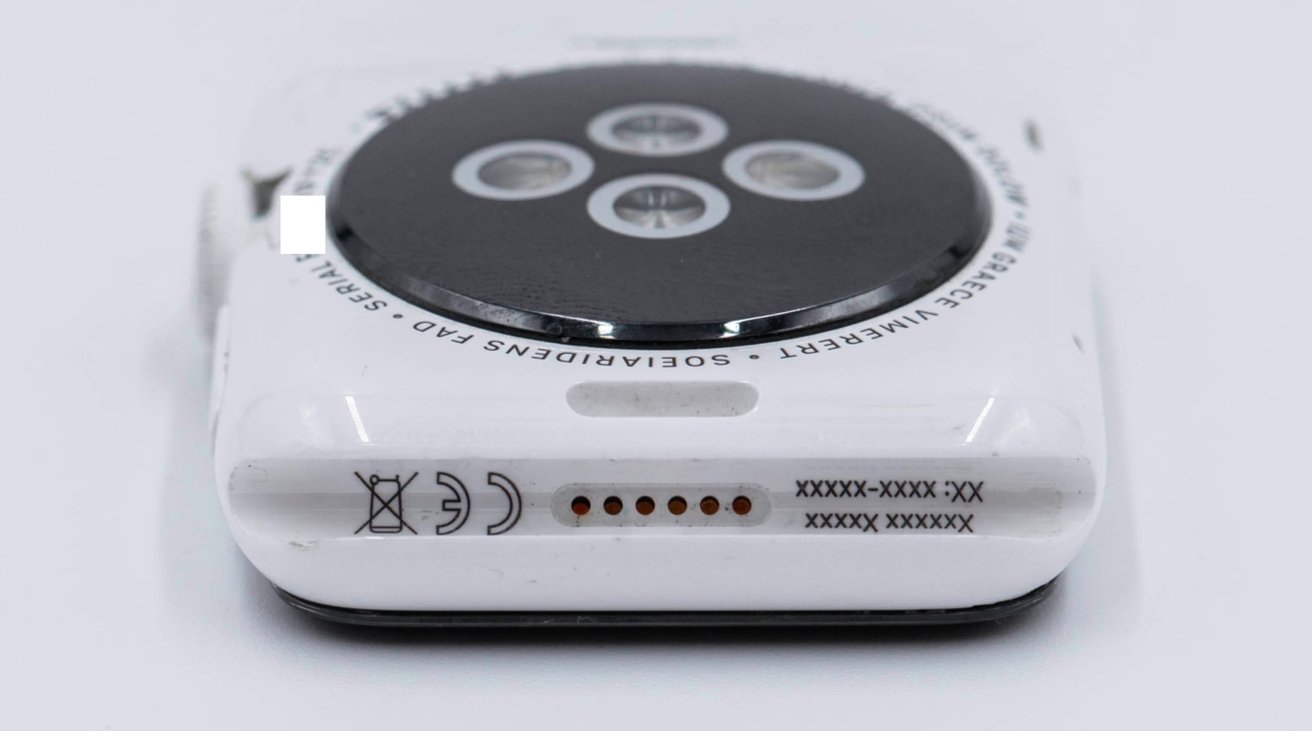
A prototype for a ceramic Apple Watch has surfaced, suggesting that Apple was considering the material in its original run of the device, alongside its gold model.
Apple introduced a white ceramic version of the Apple Watch Series 2, as part of its Edition line following after the original Edition's gold body. However, it seems that Apple may have considered creating a white ceramic Apple Watch for the original model.
Images shared on Twitter by @DongleBookPro depict a prototype ceramic version of the original Apple Watch. Made with a ceramic body and colored in white, the prototype looks just like the original series of the wearable device, except for a few tweaks indicating it is a prototype.
For example, prototype indicators are the use of Lorem Ipsum text on the back of the device instead of regulatory or model information, as well as the lack of an Apple logo.
Remarkably, it is claimed the prototype was created in 2014. This predates the 2015 original release of the first Apple Watch to consumers. There is speculation that Apple "could have launched the ceramic model with the original watch opposed to the Series 2."
Apple's last ceramic model was the Apple Watch Series 5, which used a white ceramic casing.
The prototype is the latest social media post that shows the developmental history of the Apple Watch. In June, an Apple Watch Series 3 prototype showed "smart connectors" for use with smart bands.
Another June prototype posting showed a first-generation model hidden within a special casing to make it look like a brick-style smartphone. This followed a similar security case revealed in December, seemingly makinbg it look like an iPod.
In April 2020, a collection of early prototype Apple Watches were revealed by a collector, gathered from an e-waste facility. While broken and unable to start up, it was thought the models could still be repaired and brought to a working order.
Source: Appleinsider









